
 Hi there! Welcome to my blog. My name is Ivan. I am a Dutch IT Professional working as Principal IT Consultant.
 If you are using Microsoft App-V technology and planning to sequence Office 2010, Visio 2010 or Project 2010 please make sure you install the Microsoft Office 2010 Deployment Kit for App-V binaries.
Today with a co-worker we were working on sequencing Project 2010 and at some point during the installation we’ve got the following error message:
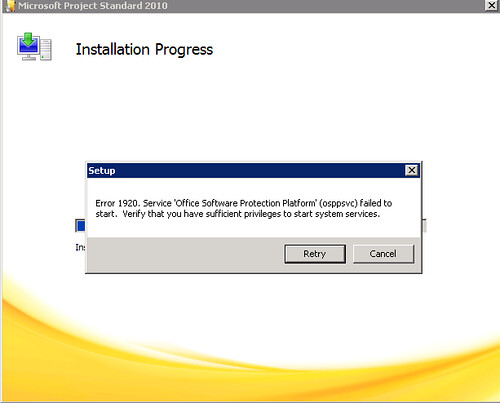
Error 1920. Service Office Software Protection Platform (osppsvc) failed to start. Verify that you have sufficient privileges to start system services.
Microsoft Project 2010 uses the Office Software Protection Platform (SPP) service that basically is the same activation technology that is used to activate volume editions of Windows Vista and Windows 7. This service in contained in the Microsoft Office 2010 Deployment Kit for App-V. Before you sequence Project 2010, this service must be installed and configured on the sequencing server. It must also be installed on any client computers that you want to stream Project 2010.


Leave a comment