
 Hi there! Welcome to my blog. My name is Ivan. I am a Dutch IT Professional working as Principal IT Consultant.
 Update: 2008/03/20 I see more and more people coming to my blog when searching for this KB article. The post below I published when I tried to install the SP1 during the test phases before it was available to public; unfortunately I was not able to get the SP1 installed; most probably of my installed software. Go directly to this website if you have any problems from now.
Update:2008/04/08 Thanks to www.ghacks.net and their post here you can download this cmd script which removes couple of registery entires Windows Vista SP1 checks. Download the script and run it. Reboot and go back to Windows Update Website.
Go to http://connect.microsoft.com website and download the service pack. You should participate the “Windows Beta Programs”!
Download the SP1 version. I downloaded the x86 and it took me 20minutes with 2MB SDSL dsl line. Start the Windows6.0-KB936330-X86_wave0_SPInstaller.exe and allow the exe to run if UAC is enabled.
See my screenshots which I took during the installation. Maybe it makes sense to double check Google for VistaSP1 issues. I read couple of posts people have issues when Bitlocker was enabled and Vista was upgraded to SP1; after the uninstall the encrypted files were not accessible anymore. 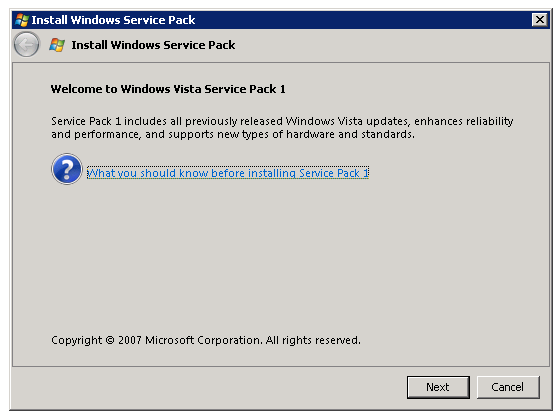
Screen clipping taken: 11/29/2007, 12:03 PM
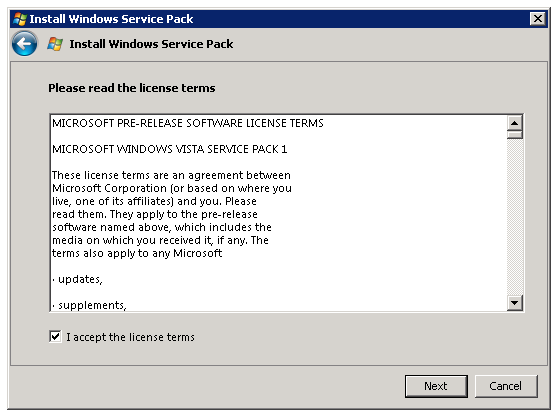
Screen clipping taken: 11/29/2007, 12:03 PM
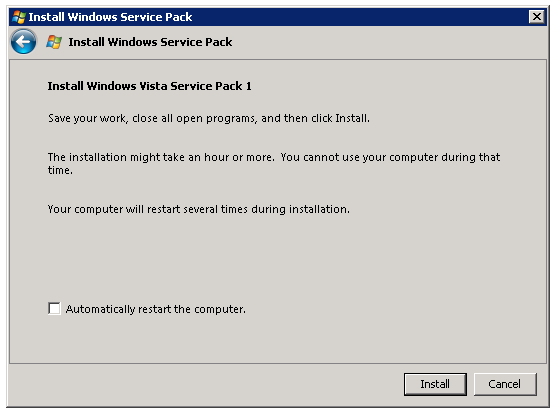
Screen clipping taken: 11/29/2007, 12:03 PM
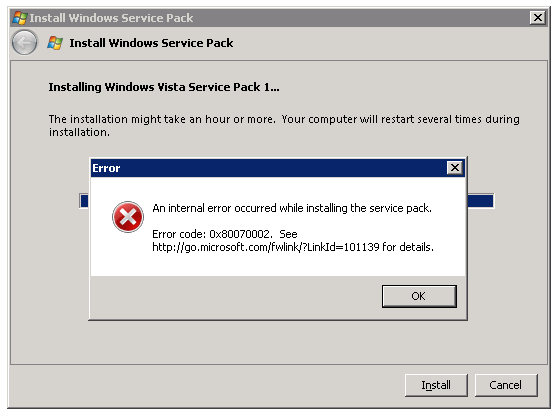
Screen clipping taken: 11/29/2007, 12:17 PM
So I went back to my own notebook and rerun the SP1; I reinstalled this pc two weeks ago with brand new iso file I downloaded from connect website. The installation took more than 90minutes and then I killed the process; no error messages this this, but again no upgrade.


vistasp1help
follow the guide on this webpage for sp1
please note all previous sp1 installations MUST be deleted
this is what i used and its great
u.z
vistasp1help
http://www.ghacks.net/2007/12/06/download-windows-vista-sp1-rc1/
alan
Do i need to backup my file To install the update?