
 Hi there! Welcome to my blog. My name is Ivan. I am a Dutch IT Professional working as Principal IT Consultant.
 After installing VMWare ESX 3.5 hypervisor host server I would like to manage this system with SSH remotely. Server is manufactured by Dell and the DRAC mgmt card interface is available but I prefer to use SSH. SSH is enabled by default but disallows access for root.
See my work log and screenshots how to enable this feature:
- Login with root from the console
- Change directory with “cd /etc/ssh”
- Open sshd_config with “vi sshd_config”

- Locate Authentication section and change “PermitRootLogin no” to “PermitRootLogin yes”; for going into edit mode type i; press ESC to exit
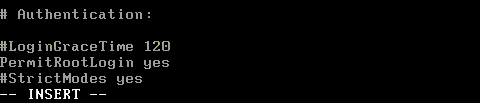
- Type “:wq!” to save and exit the file
- Restart the SSH deamon with “service sshd restart”

- Start putty.exe or any of you favorite SSH remote management tools to connect to your ESX 3.5 server.
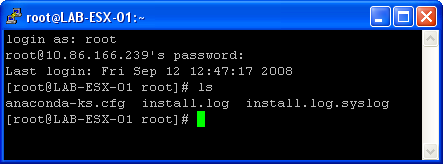
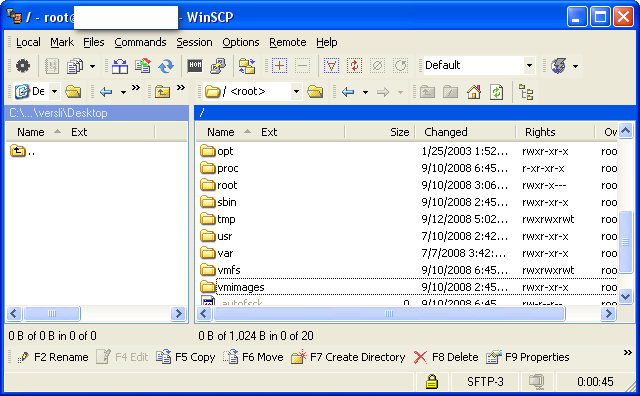
This procedure also applies to version 3.x. With this procedure I achieved to manage my ESX server remotely so I don’t need to use my remote management access card. SSH daemon also support secure file copy protocol which can be used to connect with WinSCP and download or upload any file/virtual machine to your VMFS file system.
Please be aware of any security implications! I enabled this kind of access because the management interface is sitting in a different VLAN than the vSwitch networks within virtual machine which are trunked amongst different networks.


Bharath
I need to restart service agent of ESX 3i server remotely.
By default SSH port is not enabled.
In this case how to connect to ESx 3i box remotely.
Regards,
Bharath