
 Hi there! Welcome to my blog. My name is Ivan. I am a Dutch IT Professional working as Principal IT Consultant.
 Since I am dual booting between Ubuntu and Windows Vista on my desktop workstation I am missing my linux volumes on Vista. I have three large 500GB SATA2 disks and one of them is partitioned and formatted with Ext2 linux file system. I have two options to read my linux volumes from windows:
a) Explore2fs which is a simple tool and I don’t need to install any low level system drivers. Explore2fs only operates in Read-Only mode.
b) Ext2IFS which is a pure kernel mode file system driver Ext2fs.sys, which actually extends the Windows NT/2000/XP/Vista (x86/x64) operating system to include the Ext2 file system.
I want to have full read-write mode on my linux volumes and I installed option b.
- Go to http://www.fs-driver.org/download.html and download Ext2IFS_1_11.exe
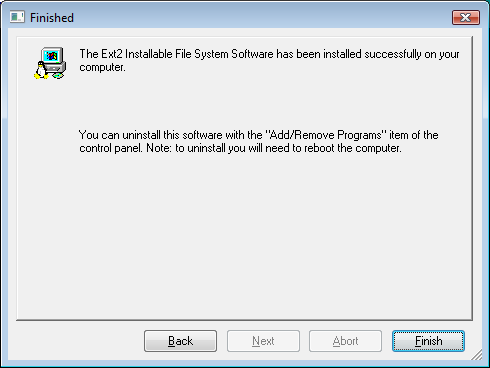
- Run the setup file and walk though the installation wizards.
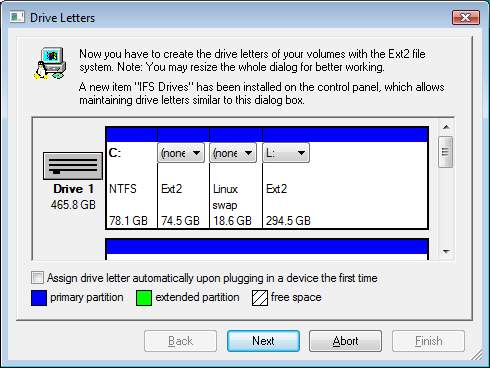
- In the Drive Letters Wizard choose your linux partition and assign a drive letter. I used drive L:
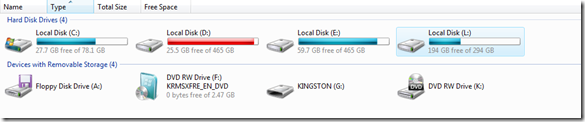
Drive L:\ is now mounted in READ/Write mode from my Windows Vista SP1 x64 operating system.


Leave a comment