
 Hi there! Welcome to my blog. My name is Ivan. I am a Dutch IT Professional working as Principal IT Consultant.
 Recently I was troubleshooting a Cisco VPN client issue. Cisco VPN client version 4.0.5 is installed on a Windows XP SP2 client with most recent Windows Security updates. After I installed and configured the VPN client I experienced some problems with it. A GPO was configured to enable the Windows Firewall when not connected to Active Directory domain and block traffic.

VPN connection was set for TCP tunneling on port 10000. I changed tunneling to UPD but got same result as with TCP tunneling. I googled and found one KB article from Microsoft.
I reviewed Windows Firewall configuration and indeed it was enabled.
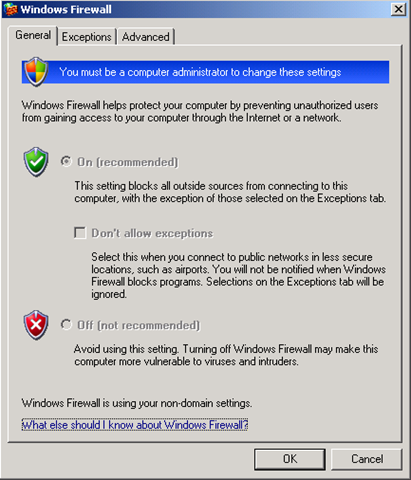
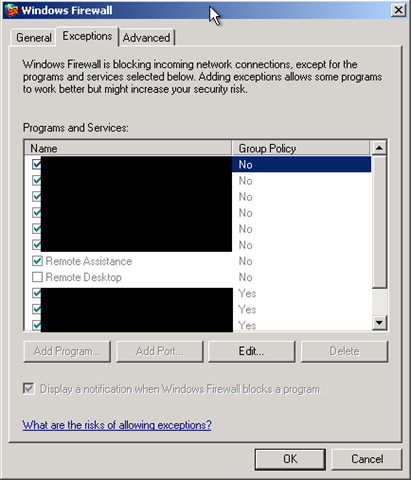
I stopped the windows firewall with “cmd /k sc stop sharedaccess” and than I tried to reconnect again. The connection worked I had connection to my office network. After reading the KB article and stopping the firewall I realized we forgot to add the Cisco VPN client exception in the Active Directory GPO.
References


gasem
i have 412 error
komikku.fr
Simply wish to say your article is as astonishing. The clarity in your post is simply
excellent and i can assume you’re an expert on this subject. Fine with your permission allow me to grab your feed to keep up to date with forthcoming post. Thanks a million and please carry on the rewarding work.