
 Hi there! Welcome to my blog. My name is Ivan. I am a Dutch IT Professional working as Principal IT Consultant.
 I am using the following CSS font-family setting for my Networknet.nl blog:
font-family:"Lucida Grande", "Lucida Sans Unicode", Helvetica, Arial, sans-serif;
When opening my blog on Firefox browser running on a Linux machine, the font setting of my blog is looking different; font style is not corresponding with my CSS style sheet.
Why is Firefox running on Linux showing different Lucida Grande font?
My Ubuntu machine has no Lucida Grande font installed. By default common Windows Fonts are not installed on Linux and some of them can be installed afterwards. After installing the msttcorefonts package I was still missing the Lucida Grande font.
The msttcorefonts contain the following fonts:
- Andale Mono
- Arial Black
- Arial (Bold, Italic, Bold Italic)
- Comic Sans MS (Bold)
- Courier New (Bold, Italic, Bold Italic)
- Georgia (Bold, Italic, Bold Italic)
- Impact
- Times New Roman (Bold, Italic, Bold Italic)
- Trebuchet (Bold, Italic, Bold Italic)
- Verdana (Bold, Italic, Bold Italic)
- Webdings
This Windows font package can be installed running the following command line.
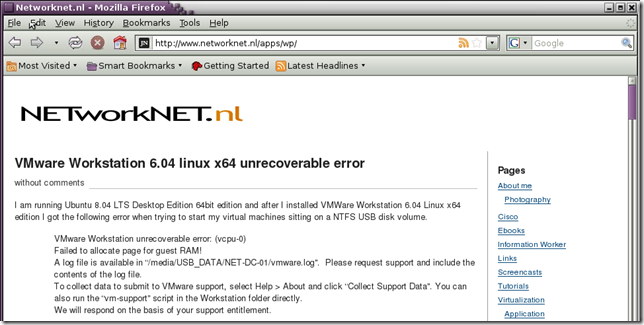
I found a related post on the Internet how to get the Lucida Grande font working, for that I was forced to install wine and safari applications on my Linux machine. If you own a Windows installation then this job is easier, please go to your C:\Windows\Fonts directory, copy the fonts and place them /usr/share/fonts/ttf folder on your Linux machine.
Don’t forget to get them loaded on the Linux system. After restarting Firefox my blog was pretty much same looking as on Windows.
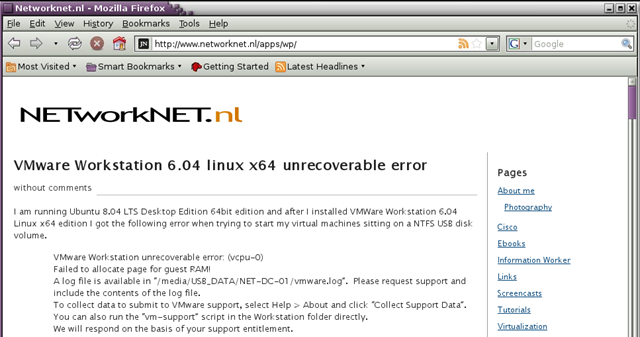
Font setting is looking OK now, but still some things to do with spacing. Anyway this is how I quickly got my Windows fonts on Ubuntu Desktop 8.04 desktop machine.


Nathan
For the love of kittens, PLEASE:
then = conditional or time (if this, thEn that — or — this, thEn do that)
than = comparison (I’d rather eat dirt thAn bugs).
Every time you use the wrong one, Obama kills a kitten.
If nothing else, do it for the kittens!
Source: http://theoatmeal.com/comics/misspelling
Nathan
(That source is funny, btw 🙂 You should read it!)
Ivan
Hi Nathan,
As non-native English speaker I am doing my best to speak and write. With writing my posts in English I can reach more people over the world. I am living an a small country with 16M people and writing in Dutch doesn’t really make sense for me.
One thing I will never forget this and off course I can’t fix this misspelling at once. I am updating my site and content. I will keep this misspelling in mind and hopefully spare some kittens.
Nathan
You’re awesome 🙂 Don’t feel bad about the misspelling though, even most native English speakers don’t use the proper spelling of then/than and they’re/their/there. Keep it up, Ivan!