
 Hi there! Welcome to my blog. My name is Ivan. I am a Dutch IT Professional working as Principal IT Consultant.
 If you are working with a virtualization platform then most of the time some components are needed for host integration. I have installed my CentOS virtual machine on a VMWare Server host and now I want to install the VMWare tools.
How to install VMWare tools on a CentOS operating system?
Locate the VMWare tools ISO file for linux operating system. Most of the time there is an option like install “Integration tools”.
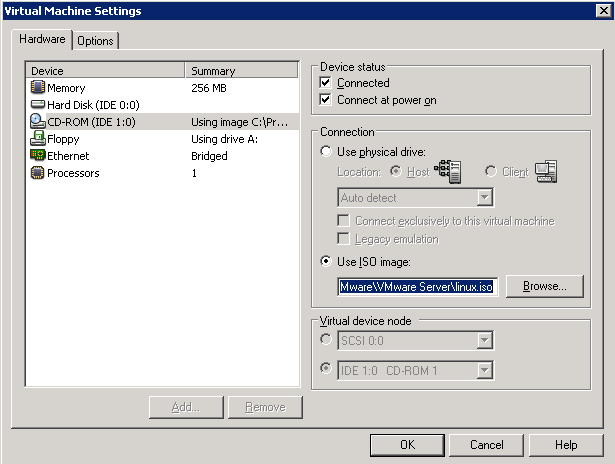
I am using VMWare Server 1 so the iso file can be found C:\Program Files\VMware\VMware Server\linux.iso.
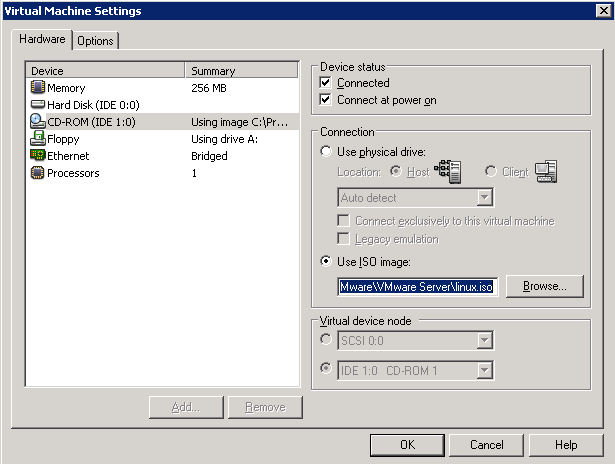
Login with VMWare Server Console to CentOS vm and mount the ISO to the cd-rom drive.
- mkdir /mnt/cdrom
- mount /dev/cdrom /mnt/cdrom
Mount command will link the cdrom to the /mnt/cdrom directory. Now you can copy the rpm file to /tmp and start the installation process.
- cp /mnt/cdrom/VMwareTools-1.0.2-39867.i386.rpm /tmp
- cd /tmp
- rpm -i /tmp/VMwareTools-1.0.2-39867.i386.rpm
After the file has been installed start the vmware tools perl script
- vmware-config-tools.pl
References
- VMware Tools for Linux Guests
- Running the vmware-config-tools.pl script on a Linux host fails due to kernel version mismatch


B.Bennett
Thanks, worked great.
Mr Gee
Works great!
Amazing how many other complicated and obtuse approaches people have posted on other sites.
Manmohan
thanks for the info, but i can not find the vmware tools file for cent os…and while making it automatically it is showing error..saying- no updates finds…!!!
please provide the path to get it download for cent os 5.5 -i386 guest.