
 Hi there! Welcome to my blog. My name is Ivan. I am a Dutch IT Professional working as Principal IT Consultant.
 Today I planned to reallocate some of the components of a Dell PowerEdge 2600 server to another one. I had two Dell PowerEdge 2600 servers. I added memory, hard disks and a second Intel Xeon 2.4 GHZ CPU.
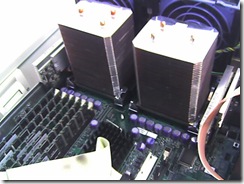
I power on the server and I saw no input from the monitor. I started to remove component by component to find the root cause why the system didn’t boot. First the memory modules, hard disks and in the end I removed the second CPU I installed. The server did boot now as before. I started again by adding the memory modules and hard disks, and server booted without any problem.
I installed second CPU and the server didn’t boot. I searched on Google and didn’t find anything related to my problem. My last resort was the Dell support website, I logged on with my account, entered the system tag and went to system documentation.
After reading the manuals for couple of minutes in the Microprocessor Upgrade Kit Contents section I realized I forgot to add the VRM .
What is VRM module?
VRM is the voltage regulator module that senses the microprocessor’s voltage requirements and ensures that the correct voltage is maintained.
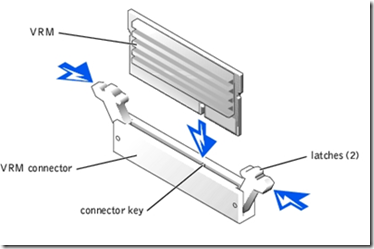
I installed the module in the second VRM connector and booted up the system. It detected my second installed cpu.


art1987
What kind of socket it has? 603 or 604?