
 Hi there! Welcome to my blog. My name is Ivan. I am a Dutch IT Professional working as Principal IT Consultant.
 After I installed Hyper-V RC0 on the physical host server I than start upgrading vm additions on my Windows Server 2008 virtual machine. I uninstalled the old Integration Services tools from my virtual machine, reboot and than reinstalled the Integrations tools again.
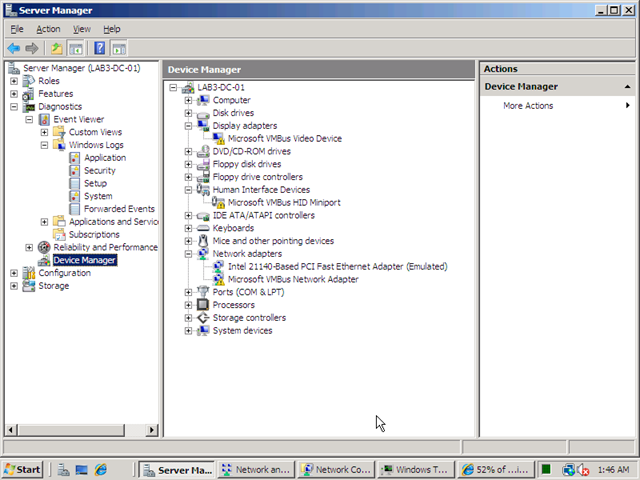
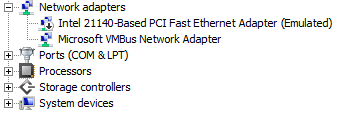
I reboot the virtual machine and checked the network configuration, but no network adapters were shown. I shutdown the machine and added a legacy adapter; now I had network connectivity on my virtual machine, but still I could not figure out why the integration services did not work. I opened Server Manager and checked the Device Manager. As shown below there were three warnings for Microsoft VMBus Video Device, Microsoft VMBUS HDD Miniport and Microsoft VMBus Network Adapter.
I went back to http://support.microsoft.com/kb/949219 article and I read I also should apply this update on the virtual machines. I installed KB949219 and reboot and my problems were fixed.
Update for Windows Server 2008 (KB949219)
This package includes the following items:
– The updated version of the Hyper-V Manager console and of the Virtual Machine Connection remote connection tool for x86-based versions of Windows Server 2008
-The updated version of the Integration Services for x86-based versions of Windows Server 2008
-To install the latest version of the Integration Services for x86-based versions of Windows Server 2008, you must install this package in the virtual machine and on computers that are running the x86-based version of Windows Server 2008.
Update for Windows Server 2008 x64 Edition (KB949219)
This package includes the following items:
– The updated version of the Hyper-V role
-The updated version of the Hyper-V Manager console and of the Virtual Machine Connection remote connection tool for x64-based versions of Windows Server 2008
-The updated version of the Integration Services for the following operating systems: • Windows Server 2008, x64-based versions only
– Windows Server 2003 Service Pack 2 (SP2), x86-based versions and x64-based versions
– Windows Vista Service Pack 1 (SP1), x86-based versions only
– Windows XP Service Pack 3 (SP3), x86-based versions only


Peter
Fantastic!!! You just helped me fix that problem! Thanks