
 Hi there! Welcome to my blog. My name is Ivan. I am a Dutch IT Professional working as Principal IT Consultant.
 When I verify my time difference between my local system and the time.windows.com NTP server I see I have 11 seconds difference.
Execute the following commands to check your local time service.
- Open a command prompt
- Type w32tm /stripchart /computer:time.windows.com /samples:5 /dataonly
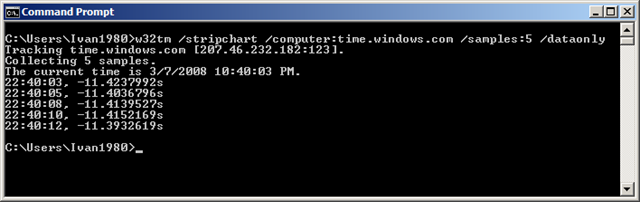
I trust Microsoft that they are well maintaining their time infrastructure, but still I performed two additional checks to nist.gov servers.
- w32tm /stripchart /computer:time.nist.gov /samples:5 /dataonly
- w32tm /stripchart /computer:time-b.nist.gov /samples:5 /dataonly
Now I am manually configuring the Windows Time Service to synchronize my local time with the NTP peer at Microsoft.
- w32tm /config /manualpeerlist:time.windows.com /syncfromflags:manual /reliable:yes /update
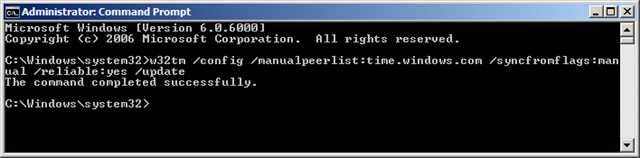
Three new events are generated in Windows Vista
The time service is now synchronizing the system time with the time source time.windows.com (ntp.m|0x0|0.0.0.0:123->207.46.232.182:123).
The system time has changed to 3/7/2008 9:51:02 PM from 3/7/2008 9:51:13 PM. (My 11s ;-))
The system time has changed to 3/7/2008 9:51:02 PM from 3/7/2008 9:51:02 PM.
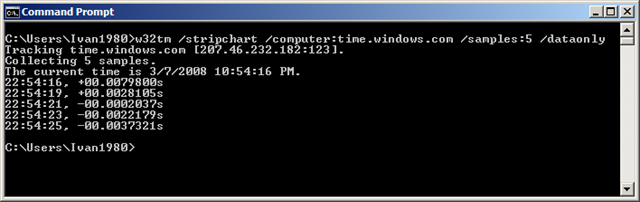
Final stripchart check and yes offset is 00.xxxx. Please consider these steps on your Active Directory PDC domain controller and their time source for your domain. For more information go to this article.


Jason Knowles
Excellent info. Thanks!
AMiRU
Are you able to run w32tm /resync
I am having a hard time figuring out why I am not able to resync to my NTP server