
 Hi there! Welcome to my blog. My name is Ivan. I am a Dutch IT Professional working as Principal IT Consultant.
 I have been waiting for a while to get the Windows Vista SP1 RTM version of ISO. Last night I download the 3GB file and 30 minutes ago the latest version of Windows Vista SP1 has been installed into a vm image of VMWare Workstation. Lately I am preparing my self for cross virtualization products lab environments and from now I am creating a Acronis True Image tib archive before I start testing with my vmware guest.
As said before I own the MSDN subscriber license keys and downloads and now the latest and greatest version of Vista is running and ready for testing.
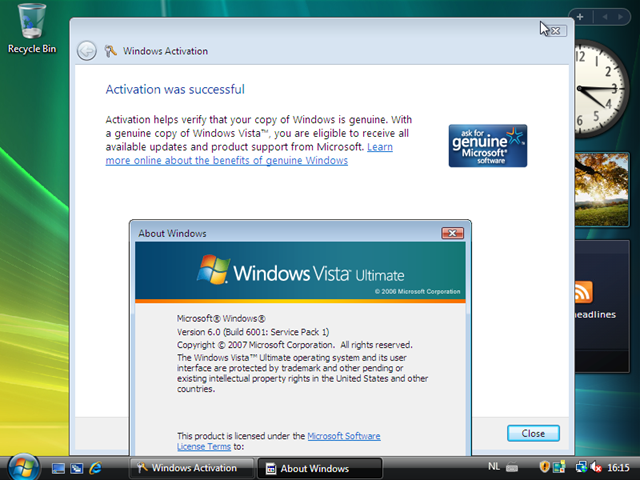
This time the installation was from fresh integrated Vista SP1 iso and it’s time to reinstall all my physical machines. I tried to get the SP1 update installed, but never succeed and my vista install on my notebook is really showing weird symptoms.
· Improves BitLocker Drive Encryption by offering an additional multi-factor authentication method that combines a key protected by the TPM (Trusted Platform Module) with a Startup Key stored on a USB storage device and a user-generated Personal Identification Number (PIN).
· Enhances the BitLocker encryption support to volumes other than bootable volumes in Windows Vista (for Enterprise and Ultimate SKUs).
· Adds support for SSTP (Secure Sockets Tunnel Protocol), a remote access VPN tunneling protocol that will be part of Microsoft’s RRAS (Routing and Remote Access Service) platform. SSTP helps provide full-network VPN remote access connections over SSL, removing some of the VPN connectivity challenges that other VPN tunnels face traversing NAT, web proxies, and firewalls.
· SP1 reduces the number of UAC (User Account Control) prompts from 4 to 1 when creating or renaming a folder at a protected location.
I am ready to start using the Bitlocker volume encryption now; as quoted I see new improvements and time to get rid of the TrueCrypt files and have the encryption built-in. New features like SSTP has been added and more cool things to check. For complete list of changes check out this document or http://msdn2.microsoft.com/en-us/windowsvista/bb898842.aspx.


Leave a comment