
 Hi there! Welcome to my blog. My name is Ivan. I am a Dutch IT Professional working as Principal IT Consultant.
 For weeks my Exchange 2003 cluster was down. The mail cluster was configured in a active passive configuration and a single server has been up for months. Second virtual machine node was shutdown to save resources.
At some point I was not able to reach my Exchange 2003 mailbox and I started to review the Event Viewer and Services on the active server node. System logs contained around one hundred 4275 event id errors in the IIS Config catalog category.
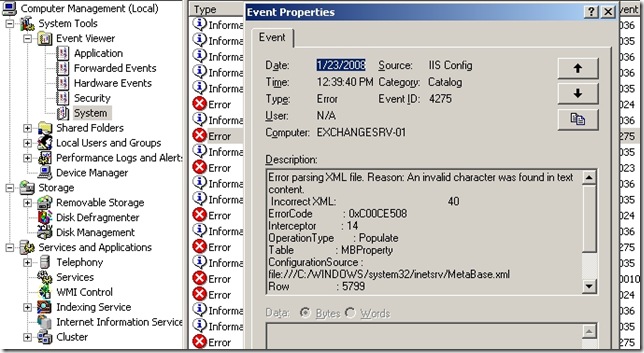
I filtered Event Viewer for Event ID 4275 to see when these errors started. The first event started on 12 December 2007.
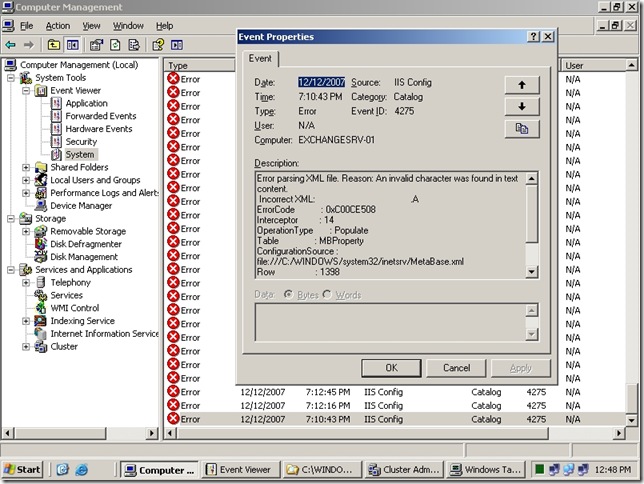
I manually tried to start IIS Admin service and I also reboot the server. Without any success because the IIS services were not going to start. The server’s IIS Metadatabase was not changed in any manual way.
How to restore a Metabase.xml from IIS server?
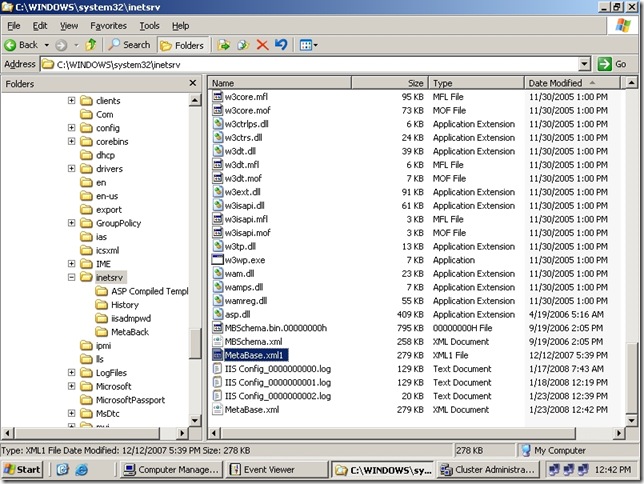
I went to C:\WINDOWS\system32\inetsrv folder, located and renamed Metabase.xml file to Metabase.xml1. This XML file is being used by IIS to store its configuration database.
Within C:\WINDOWS\system32\inetsrv\History folder all previous XML Metadatabase history files are being stored.
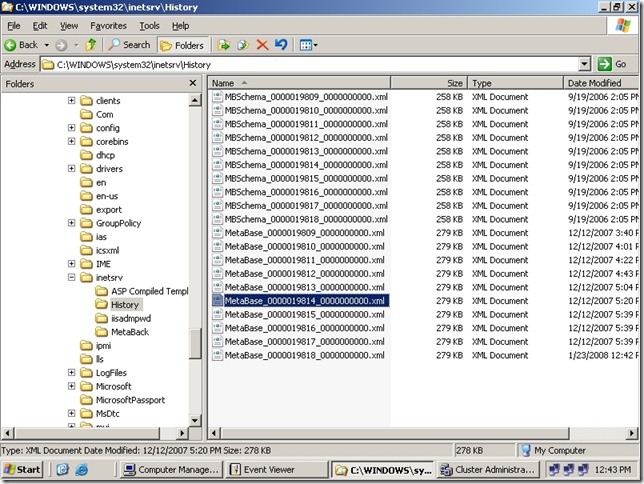
- I copied one of the Metabase files from History folder just before the errors started and pasted the file to C:\WINDOWS\system32\inetsrv folder.
- I renamed the file to MetaDatabase.old.
- I opened Services MMC console and started IIS Admin and WWW services. Both started successfully now.
After the IIS services were running now I opened Cluster Administrator and brought the Exchange group online.
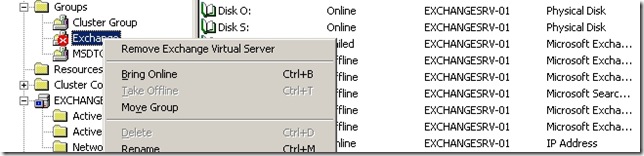
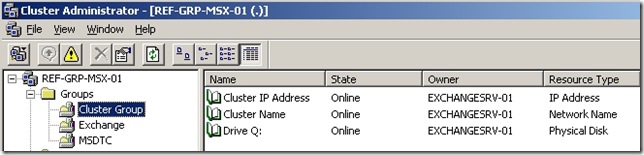
After weeks my Exchange 2003 cluster was finally functioning as configured. Second node was brought online and included in the cluster.
Why did this happened?
The only reason I was able to find that there was a power outage and the IIS Metadatabase.xml file became corrupt. I hope this article was helpful in solving similar issues. My problem was related to Exchange 2003 but same problem could happen with any IIS depended application.
Comments
Today (5th of October 2011) I updated this post. Mainly for my new website format and grammar. I am really happy to see you guys are finding the solution for this problem here on my personal blog. Maintaining this blog does cost me some personal effort to write and maintain the site. If you would like me to continue please consider checking out my sponsor on the right upper corner. Again! thanks for being here.


Eric Louie
Ivan – thanks. This solved my problem on a SBS 2003 server that also (probably) suffered from a power outage.
Nerdcentric
Also solved my problem with a SBS2003 server. Exact same symptoms with the 4275 errors in the event log, but mine started with a bad sector on a hard drive. Thanks for the info!
Dann Schuler
I have to thank you for posting this. We had some corruption on a SBS2003 box and thought we were in for a long day. Most other posts i have found over the net were saying you need to uninstall and reinstall IIS to repair the metabase.
Thanks again!!
Lloyd
We had this same problem after an abrupt power failure. My co-worker and I have been trying to figure out this problem for almost a week. We thought we may have to re-install IIS and
Exchange. We didn’t think it would be this easy to fix.
Thank you very much for the post.
Cesar
Thx a Lot.
This really work for my. And help me save a lot of time.
Yesterday we have a problems with a log of Exchange 2007. Today with this one. Sound like something is wrong with server.
Thanks again!!!
Asad
Thanks sooo much!!! I had applied Windows SBS updates and after the reboot I got this error! Followed your instructions and got IIS up and running within 15 minutes!
Ajeeth
Thank you very much to save my troubleshooting time.
Great Work.
Joachim Berger
Great!
This saved me a lot of time!
Thank you again!
Robert Berger
Genial. Habe zuvor stundenlang versucht das Problem alleine zu beheben und mit dieser Anleitung war’s in 10 Minuten erledigt.
Vielen Dank!!
Rowan
Thanks, Works a treat. I install Backup Exec 12.5 which killed the metabase. Bloody Symantec
Juan Quiroz
Tnks, you save me a lot of time and effort
BANAGO Paul
Merci beaucoup,
J’ai appliqué cela et tout marche bien.
Crille
Thank you, this saved me from a non working Windows Homeserver Console connection (aswell as a nonworking IIS 🙂 ).
Robert
I love you!
Manu
Thanks a million.
Really grateful I found your post.
You’ve just saved my Xmas! :)))
Trish
Thank you… This fix saved me a ton of work!
lynn Smith
Thanks, I find the good information for IIS Config Errors and EventID 4275 Exchange 2003 Cluster.
Bryce Chen
Man, thank you!
elu
Thank you
Sandy
Thanks for posting and publishing this solution. It also helped me fix an 2003SBS exchange outage.
One quick note and a typo I suspect. The rename of the history database copied into the Windows\System32\inetsrv was to Metabase.xml even though the solution you showed ‘MetaDatabase.xml’. I assumed it needed to be the same as the old production name that I renamed using your first step in that same directory.
After that and restarting the services all worked very well again.
Thanks again!,
Sandy
Ivan Versluis
Hello Sandy,
You are welcome. Thanks for letting me know. It was a typo. I have corrected this now.
Cheers,
Ivan
Trent
I was working on a major upgrade to our company software everything went pretty smooth but at the end of the day email would not work. This tip saved me from working over the weekend. It appears that the file was corrupted during a spontaneous reboot of the server, thanks.
Charles C. Hocker
Thank you very much. I had a SBS 2003 server that hung on shutdown and had to be manually shutdown. Following your instructions allow me to correct the MetaBase.XML and restart the STMP/IIS and Exchange services properly.
rick gill
thank you, save me hours of work.
GX
Thank you so mcu! Problem solved right away!
Mike
Thank you! Didn't have to rename it .old. Just took the history of file and renamed it to MetaBase