
 Hi there! Welcome to my blog. My name is Ivan. I am a Dutch IT Professional working as Principal IT Consultant.
 My outlook 2007 client is filtering my email, but most of the SPAM messages are arriving in my mailbox and when using OWA I still need to manually filter the messages. Networknet.nl domain is running now for 7 years on the internet and many SPAMMERS added the email addresses to their lists. On daily basis I receive 25-30 SPAM messages.
I am listen to 24 hours of Exchange 2007 podcasts in my car and today Harold Wong give me some tips in his thirteenth session of the webcast.
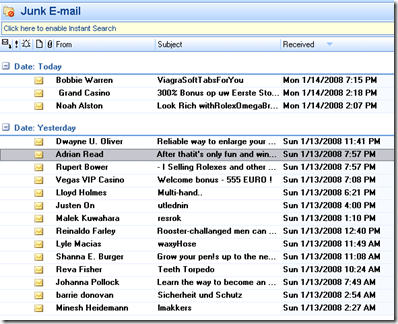
Screen clipping taken: 1/14/2008, 7:47 PM
One day of SPAM in my mailbox.
Out of the box Exchange 2007 Antispam agents support the following
1) Connection Filtering
2) Content Filtering
3) Sender ID
4) Sender Filter
5) Recipient Filter
6) Protocol Analysis
When these are enabled most common SPAM messages will be blocked at the Exchange 2007 HubTransport level.
How to install the AntiSpam agents?
The script is located at:
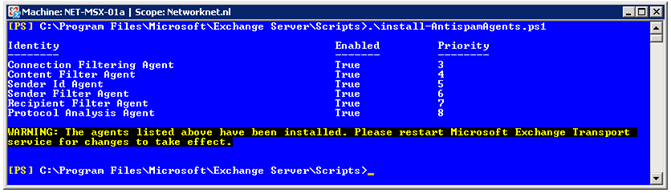
C:\Program Files\Microsoft\Exchange Server\Scripts\install-AntispamAgents.ps1
Start the Exchange Management Shell and go the directory. Run the install-AntispamAgents.ps1 script.
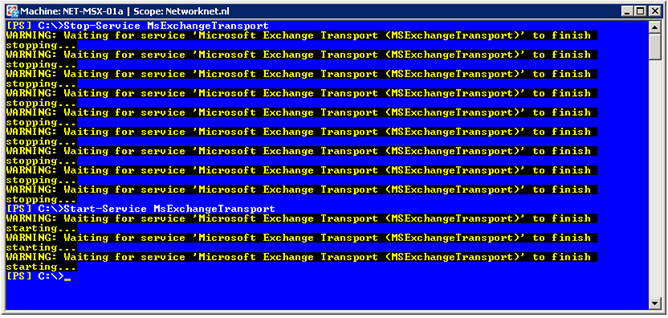
Stop and start the Microsoft Exchange Transport service by running Stop-Service MsExchangeTransport & Start-Service MsExchangeTransport
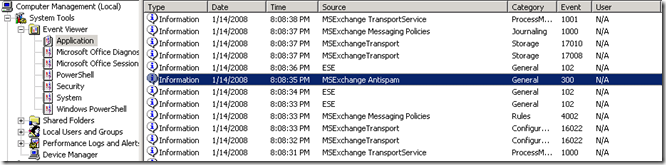
Verify the Application Eventlog and no errors or warning should be displayed.
Start the Exchange Management Console and go to Organization Configuration / Hub Transport and now new tab is available called Anti-Spam.
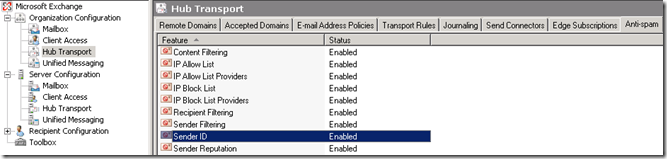
All features are enabled in my default configuration.


Leave a comment