
 Hi there! Welcome to my blog. My name is Ivan. I am a Dutch IT Professional working as Principal IT Consultant.
 Last two days I worked with a VMWare Premium Support engineer troubleshooting my VMWare ESX problem for booting the system. I will post another post with exact error messages, but we were not able to get into the service console nor did the other two boot options work. At some point he asked me did I have a Linux Live-CD? I was think ooh Yeah going back to old school and grabbed my case and found a BackTrack2 cd from two years ago.
After the reboot and boot into BackTrack we went trough couple of system settings and logs and he asked hey can you forward me the esxcfg-boot.log to me by email…. I was using the DRAC console and copy and paste is not going to work ;-(. Guys from past remember the real tricks when we did those back than with IIS 😉 and within couple minutes I was able to get the orginal file to one of my tftpd daemon on the network.
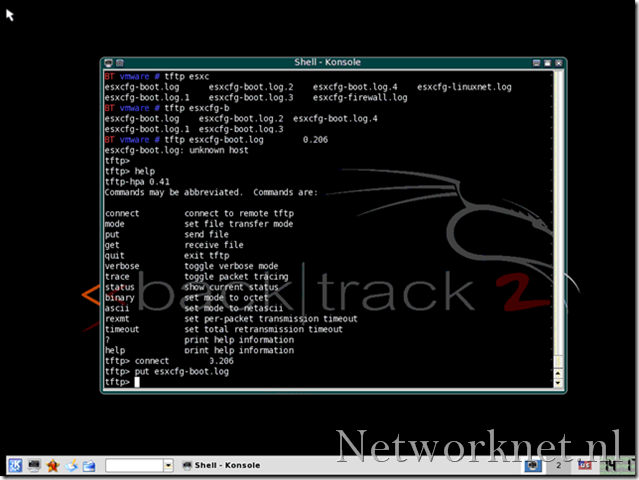
How did I get the log files?
-
- Download, burn the iso and boot from CD-rom
- Login with root/toor
- I prefer the GUI and start KDE by running startx
- Open Console session
- ifconfig eth0 up
- dhcpcd eth0
- check you ip address with ifconfig eth0
- now run tftp
- open ip address
- put esxcfg-boot.log or any other.
That’s all. For more information and download go to http://www.remote-exploit.org/.


Leave a comment