Windows 7: Use BitLocker To Go as a TrueCrypt alternative
For several years, I used TrueCrypt to encrypt my data. With Windows 7 and its disk management enhancements, I now see a way to replace it.
Why I want to replace TrueCrypt
I use a managed Windows 7 client and do not want to install nonstandard software. A Computer Use Policy is in place, and BitLocker encryption is already available to me.
Create and encrypt the VHD
My approach is to create a fixed-size VHD and encrypt the virtual volume with BitLocker To Go. Before starting, make sure you are running Windows 7 Enterprise or Windows 7 Ultimate.
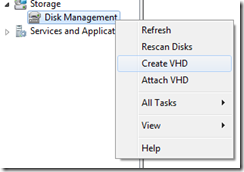
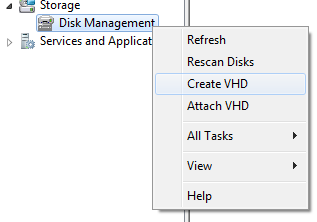
Open Computer Management, right-click Disk Management and select Create VHD.
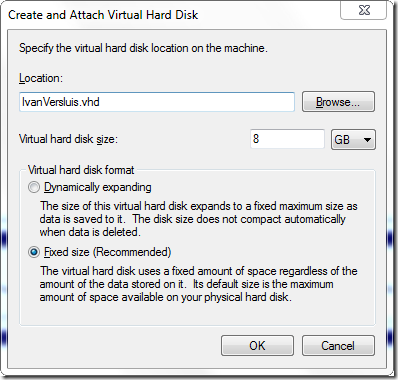
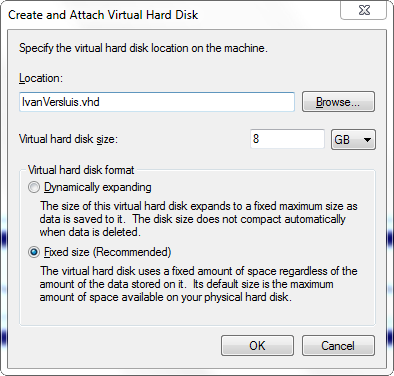
Enter the VHD filename, location and virtual disk size. Select the fixed-size format because the disk will be encrypted, then click OK.
Initialize the new disk, create a new simple volume, choose a drive letter and format it as NTFS.

The new disk should now appear in Windows Explorer.

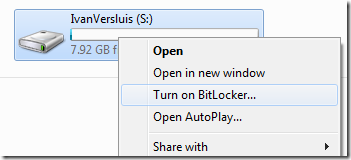
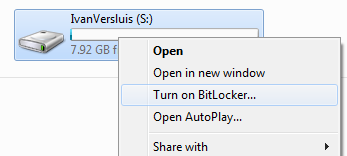
In Windows Explorer, right-click the new drive and select Turn on Bitlocker….
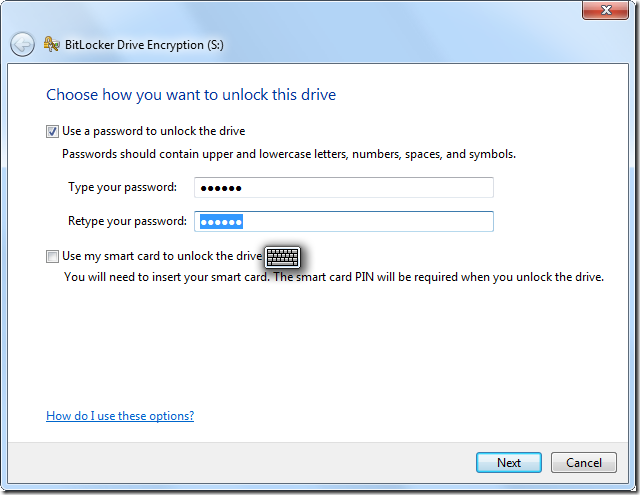
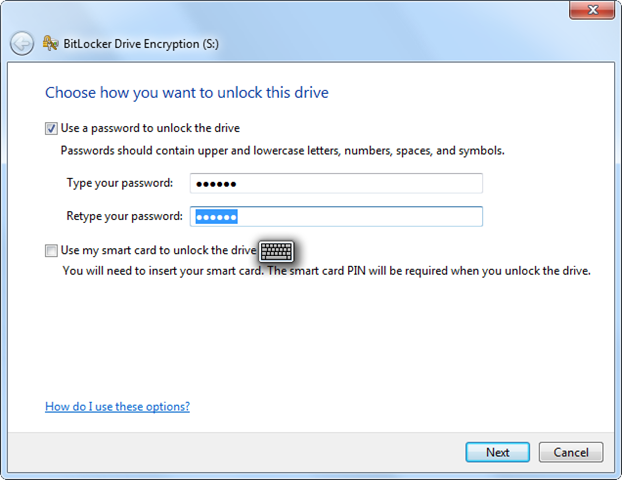
Select Use a password to unlock the drive, enter your password and click Next.
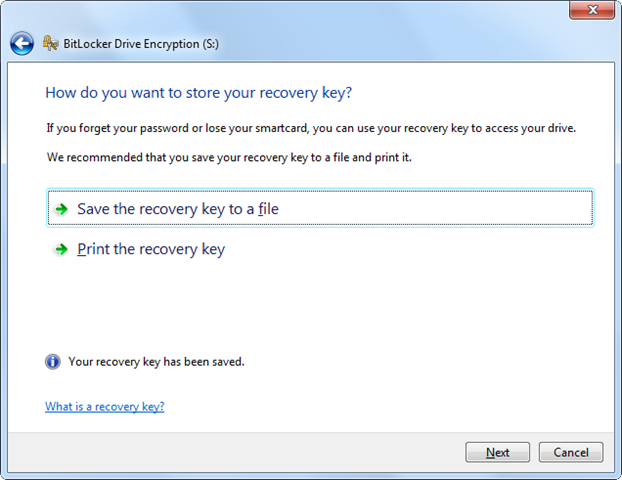
Save the recovery key in a secure location. I recommend printing a copy and keeping it offsite. Click Next.
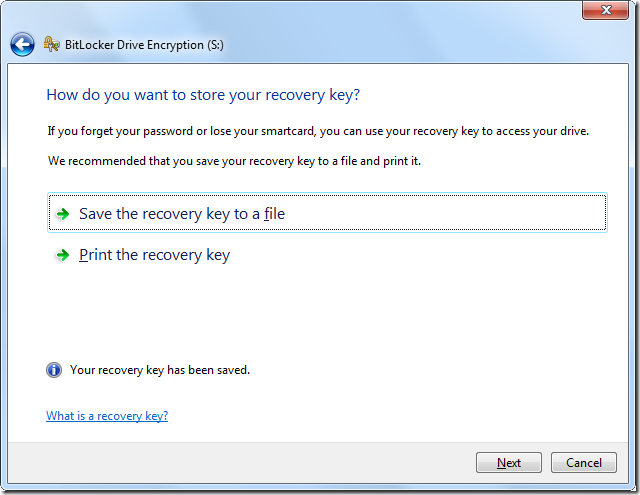
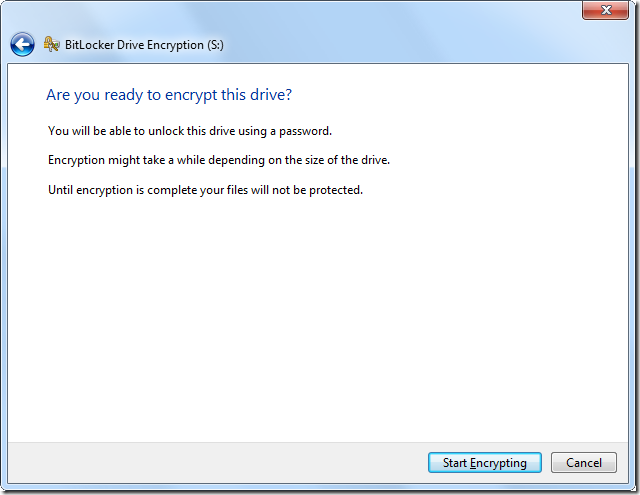
Click Start Encryption to encrypt the VHD.
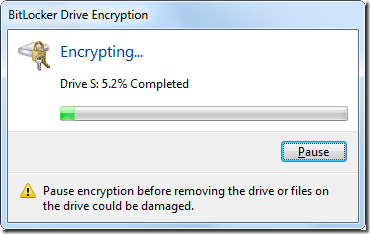
The VHD is now being encrypted.


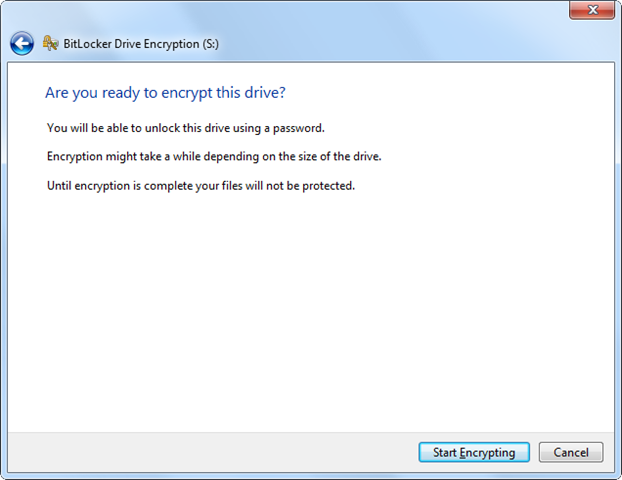
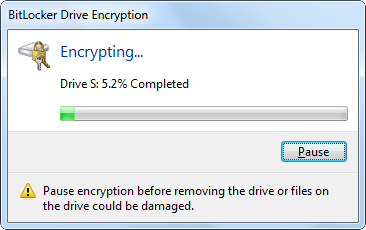
BitLocker To Go is available in Windows 7 Enterprise and Windows 7 Ultimate. I do not plan to use this VHD directly on Mac OS X or Linux. If I needed to access the encrypted volume from a system that was not running Windows 7, I would use a Windows 7 virtual machine.
5 comments
Comments from the original WordPress site, kept read-only.
The question is, why would you want to replace Truecrypt?
Its well respected, widely reviewed, easy to use, and very portable.
Yeah
I am using Truecrypt for years and I have difficulty to imagine any reason to replace it to Bitlocker.
@The Question
@ Yours Tester
From a business point of view, I can give three compelling reasons for replacing Truecrypt:
1) System image backups
2) Trusted Platform Module (TPM) support
3) Centralized key management (most compelling of the three)
As you can see, Bitlocker takes advantage of these three features. Truecrypt, on the other hand, does not.
I agree with Ryan. With TrueCrypt, every user is kind of on their own; you either have to set up a business process so that you archive each recovery key separately (and keep track of them all) for them, before they even get their machines back, or they all have to do it themselves (which obviously will result in a lot of people failing to do so, and eventually losing access to their disks in many cases). Also, there will be no centralized ability to mandate configurations, and issuing updates will be its own challenge. There's a reason that corporate environments typically use Bitlocker or PointSec instead of the free stuff.
I have to agree with Ryan and George. TrueCrypt is great for personal use, but as a corporate product, there is no way you can get away with recommending it. No central management means massive headaches for even a relatively small amount of deployed systems, and when your CFO comes and says he forget his passphrase, the recovery image is outdated (oops), and you cannot recover his data, well, that BitLocker is looking MIGHTY attractive.