Office 2010: Rearm an installation before activation
When deploying Office 2010 without a KMS server, you may reach the end of the activation grace period. Office 2010 requires product activation, similar to Windows Vista and Windows 7.
The Microsoft Office Activation Wizard may show the following message.
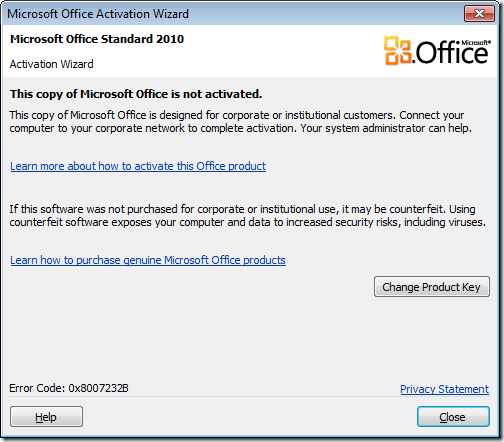
Rearm Office 2010
I do not want to activate this installation yet, so I will use the Office 2010 rearm feature.
- Open an elevated command prompt (cmd.exe).
- Go to C:\Program Files\Common Files\microsoft shared\OfficeSoftwareProtectionPlatform
- Run OSPPREARM.EXE.
After OSPPREARM.EXE runs, you will see the message “Microsoft Office rearm successful”.

1 comment
Comments from the original WordPress site, kept read-only.
I'm sure you were inspired by the words, "Talent does what it can genius does what it must..".