SharePoint 2007: Adobe PDF support
The Adobe PDF format is not available by default in a Windows Server 2003 or SharePoint 2007 (MOSS) installation. Most organizations use PDF files, so including them in the full-text search index would help their users. To set this up, install Adobe Reader from the Adobe website.
I installed the latest version of Adobe Reader 9.2 today and followed the instructions I found on the following links:
- http://www.joiningdots.net/blog/2007/05/sharepoint-2007-and-adobe-pdf.html
- http://blogs.msdn.com/ifilter/archive/2007/03/29/indexing-pdf-documents-with-adobe-reader-v-8-and-moss-2007.aspx
Searching for keywords from the PDF files returned no results. The PDF files had not been indexed.
I reviewed the crawl log and found this error for PDF files:
Crawled (The filtering process could not process this item. This might be because you do not have the latest file filter for this type of item. Install the corresponding filter and retry your crawl. )
I also tried changing the PATH system variable for the Adobe Reader installation folder and running another full index, but this did not help.
Change the registry entries
The solution was to change two registry entries:
- Go to HKEY_LOCAL_MACHINE\SOFTWARE\Microsoft\Shared Tools\Web Server Extensions\12.0\Search\Setup\ContentIndexCommon\Filters\Extension\.pdf and change the Default Reg_Multi_SZ value to {E8978DA6-047F-4E3D-9C78-CDBE46041603}.
- Go to HKEY_LOCAL_MACHINE\SOFTWARE\Microsoft\Office Server\12.0\Search\Setup\ContentIndexCommon\Filters\Extension\.pdf and change the Default Reg_Multi_SZ value to {E8978DA6-047F-4E3D-9C78-CDBE46041603}.
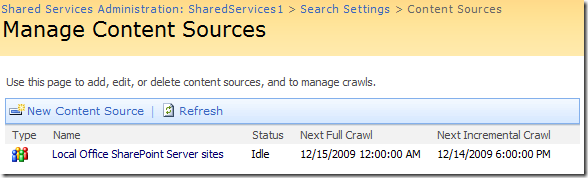
After modifying these registry entries, run iisreset; “net stop osearch” and “net start osearch”. Run the full index crawler on your content again.
Thanks to the community, I got the PDF icon and PDF search working on SharePoint 2007.
1 comment
Comments from the original WordPress site, kept read-only.
Hi,
This artical is very useful for me. I am a Share Point developer and always looking to
learn something new. I would like to introduce another good SharePoint blog, Have a look.
http://SharePointBank.com
Harry