VMware ESX: SSH remote management
After installing VMware ESX 3.5 on a Dell server, I wanted to manage it remotely over SSH. The DRAC management interface was available, but I preferred SSH. SSH is enabled by default, but root access is disabled.
Enable root access over SSH
This is my work log:
- Log in as root from the console.
- Change directories with “cd /etc/ssh”.
- Open the configuration with “vi sshd_config”.

Locate the Authentication section and change “PermitRootLogin no” to “PermitRootLogin yes”. Type i to enter edit mode and press ESC to leave it.
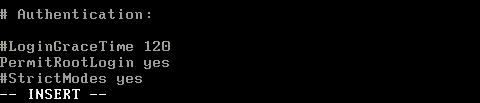
Type “:wq!” to save and exit, then restart the SSH daemon with “service sshd restart”.

Start putty.exe or your preferred SSH management tool and connect to the ESX 3.5 server.
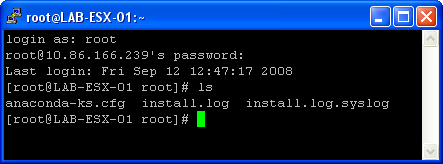
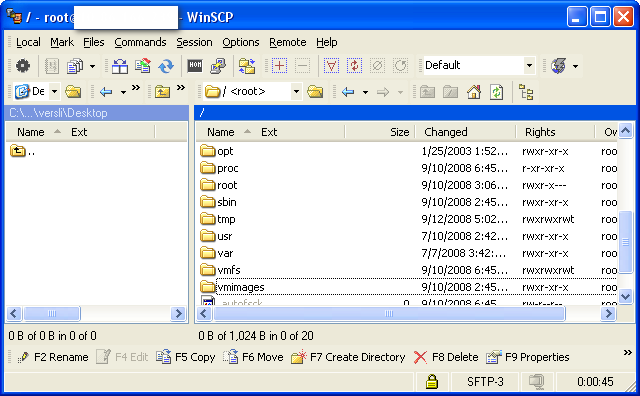
This procedure also applies to version 3.x. It let me manage my ESX server remotely without using the management card. The SSH daemon also supports secure file copy, so I can use WinSCP to upload or download files and virtual machines on the VMFS file system.
Be aware of the security implications. I enabled this access because the management interface is in a different VLAN from the virtual machines’ vSwitch networks, which are trunked across different networks.
1 comment
Comments from the original WordPress site, kept read-only.
I need to restart service agent of ESX 3i server remotely.
By default SSH port is not enabled.
In this case how to connect to ESx 3i box remotely.
Regards,
Bharath