CMSMadeSimple: Upgrade from 1.0.4 “Lanai” to 1.4 “Jamaica”
I am redesigning a CMSMadeSimple website and planned to upgrade it today. The site has been running for two years without updates. Version 1.4 “Jamaica” has just been released, and I need to update before adding a couple of new modules. The process was straightforward and took 15 minutes in total.
Upload the new version
- Download cmsmadesimple-1.4-full.tar.gz.
- Extract it with 7z and upload the contents to the web server using FTP, SFTP or SSH.
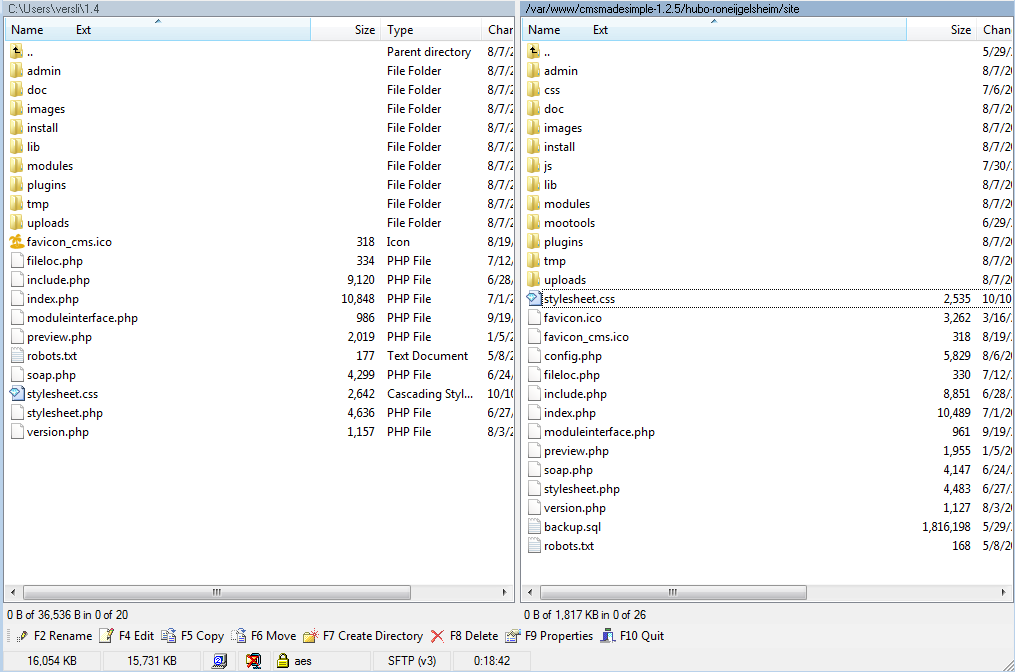
I used WinSCP to copy the files to my Linux machine. I dragged them from the left pane, showing my C drive, to the right pane, where the existing CMSMadeSimple files were located. When asked whether to overwrite files, I clicked Yes.
Open the admin page.
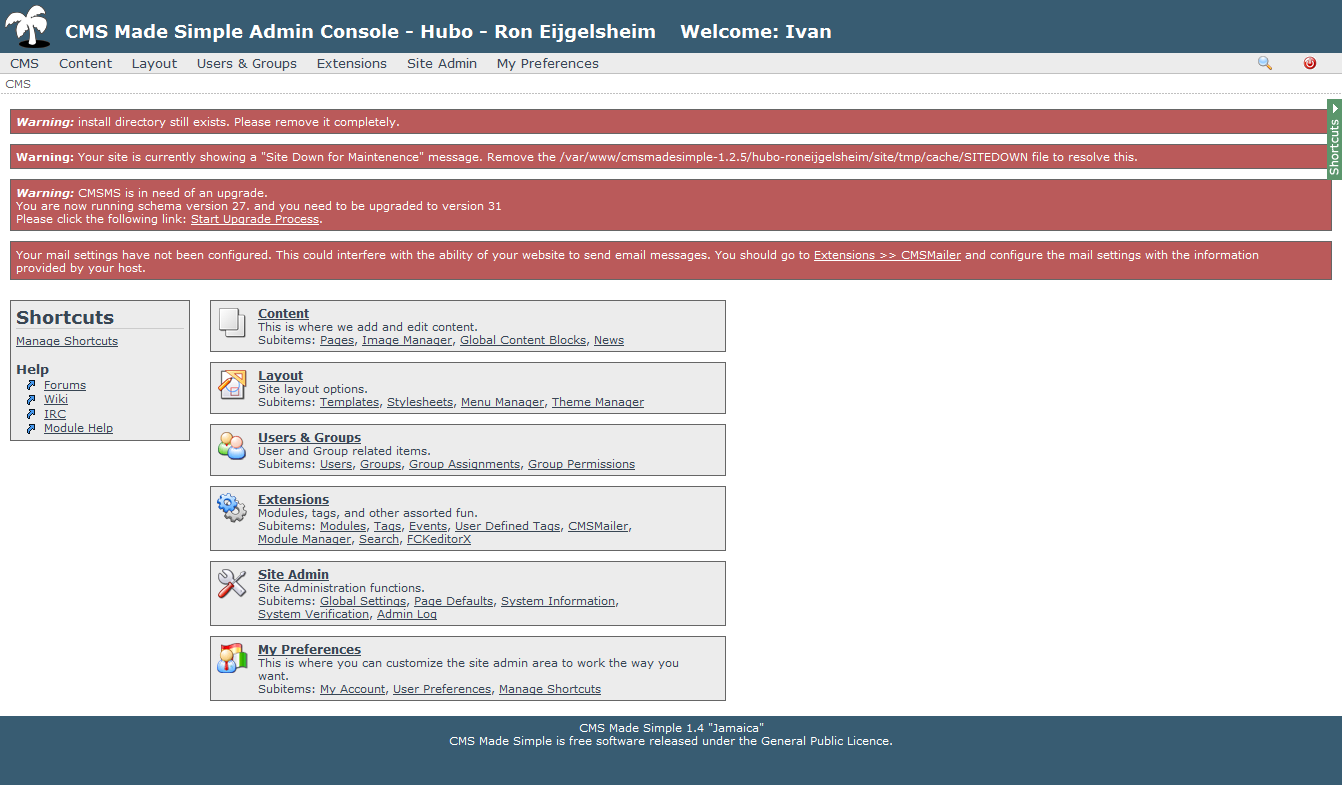
Upgrade the schema
I had warnings to resolve, including removing the install directory and the “Site Down for Maintainance” message. The main step was the CMSMS schema upgrade. Click Start Upgrade Process and verify that config.php is writable.
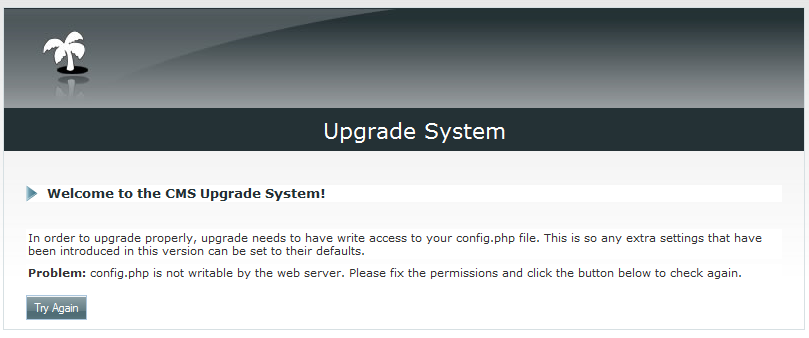
I checked the configuration file from the SSH console. Its permissions were not set as required:
root@ubuntu-jeos-7:/var/www/cmsmadesimple-1.2.5/hubo-roneijgelsheim/site# ls config.php -all
-rw-r--r-- 1 root root 5829 2008-08-06 10:16 config.php
To fix this, I ran chmod 777 config.php, chown www-data config.php and chgrp www-data config.php.
I returned to the Upgrade System wizard and clicked “Try Again”.
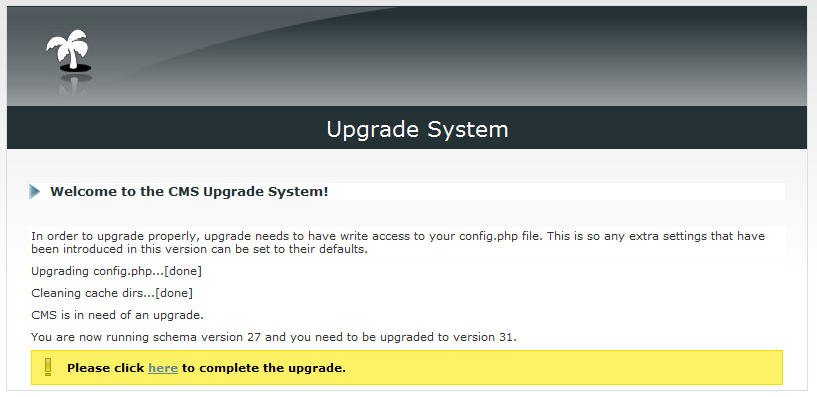
The schema was upgraded to version 31. I could then finish the upgrade by clicking the final step.
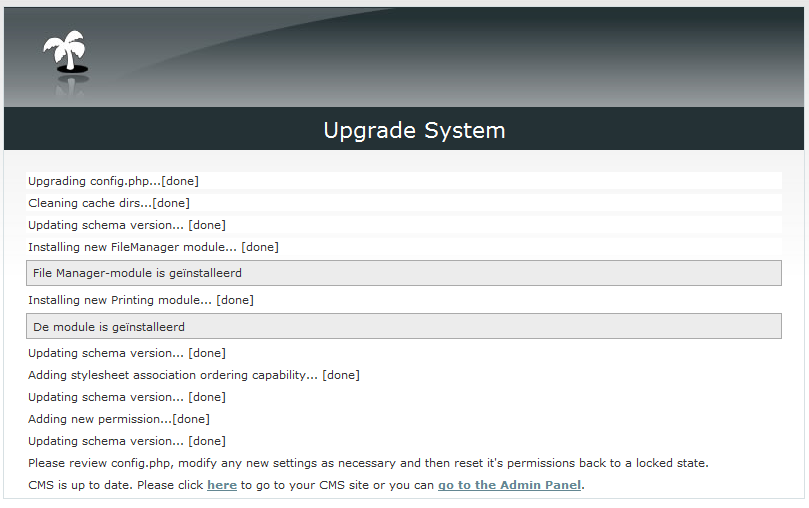
Setup completed all required steps, and the website was running and up to date. I resolved the other two warnings, leaving the site secure and updated. The process went smoothly.