Cisco VPN Client: Reason 414 connection failure
I recently troubleshot a Cisco VPN Client issue on a Windows XP SP2 machine with version 4.0.5 and the latest Windows security updates. After installing and configuring the VPN client, I had problems connecting. A GPO enabled Windows Firewall and blocked traffic when the machine was not connected to the Active Directory domain.
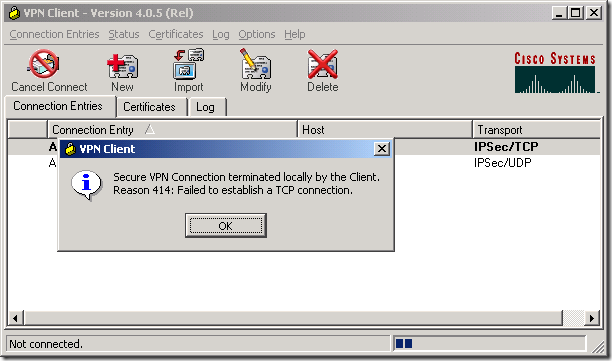
The VPN connection used TCP tunneling on port 10000. I changed it to UDP but got the same result. I searched online and found this Microsoft KB article:
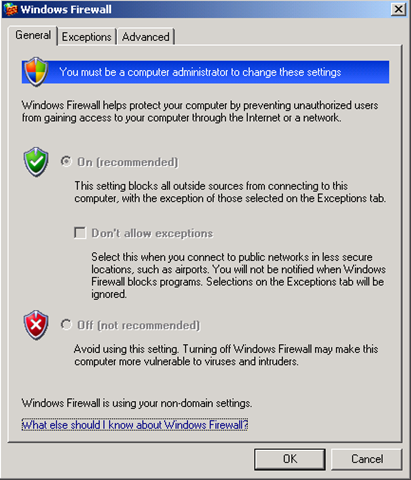
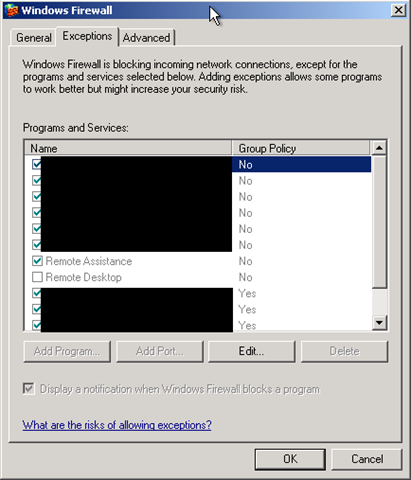
I checked the Windows Firewall configuration and confirmed that it was enabled.
I stopped Windows Firewall with:
| |
I tried connecting again, and the connection to my office network worked. After reading the KB article and stopping the firewall, I realized we had forgotten to add the Cisco VPN Client exception to the Active Directory GPO.
Reference
2 comments
Comments from the original WordPress site, kept read-only.
i have 412 error
Simply wish to say your article is as astonishing. The clarity in your post is simply
excellent and i can assume you're an expert on this subject. Fine with your permission allow me to grab your feed to keep up to date with forthcoming post. Thanks a million and please carry on the rewarding work.