Ubuntu Desktop 8.0.4: Cannot mount device
After installing the latest updates and rebooting, automatic mounting failed for my Windows NTFS volumes and USB disk. Opening a disk in File Browser produced this error:
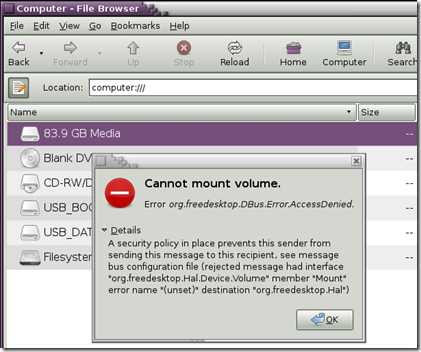
Cannot mount volume. Error org.freedesktop.DBus.Error.AccessDenied. Details A security policy in place prevents this sender from sending this message to this recipient, see message bus configuration file....
I rebooted a couple of times and searched online, but could not find a working solution. I found a bug report about adding a host to the hosts file. My /var/log/daemon.log was filling with:
| |
I was frustrated at being unable to access my personal share on one of my 500GB SATA disks. Right-clicking and choosing mount volume also failed.
Mount the volume manually
I opened a terminal and listed the physical disks:
| |
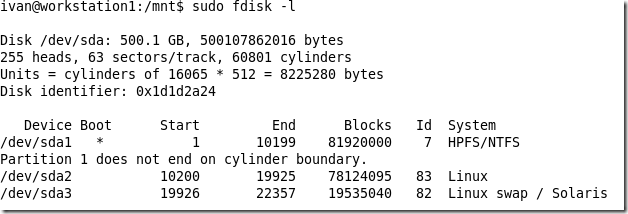
Create a folder named sda1 in /mnt/ and mount the volume manually:
| |

To mount the volumes automatically after rebooting, add entries to /etc/fstab. I added the following lines. Make sure the folders exist in /mnt.
| |
2 comments
Comments from the original WordPress site, kept read-only.
I was also facing the same problem. I solved it in the following way.
I reinstalled
hal
PolicyKit
dbus
gmone-volume manager
after that everything worked.
I am 100 % sure this will work for you also :)
Didn't work for me, you may want to lower your confidence value. (I can mount manually.)