BgInfo: display system information on your desktop
If you manage multiple computer systems, Microsoft's BgInfo tool (formerly Sysinternals) can display relevant system information: CPU, hostname, IP/DNS/DHCP/default gateway, memory, disk and more. I use it on all my virtual and physical host machines to identify the system I am logged on to.
You can use different background colors to identify the type of machine you are working on. For example, use red for physical host machines, blue for virtual machines and yellow for lab machines. A couple of years ago, I deployed this tool with the corporate wallpaper on 500+ desktop clients. We also included the helpdesk phone numbers and other important information.
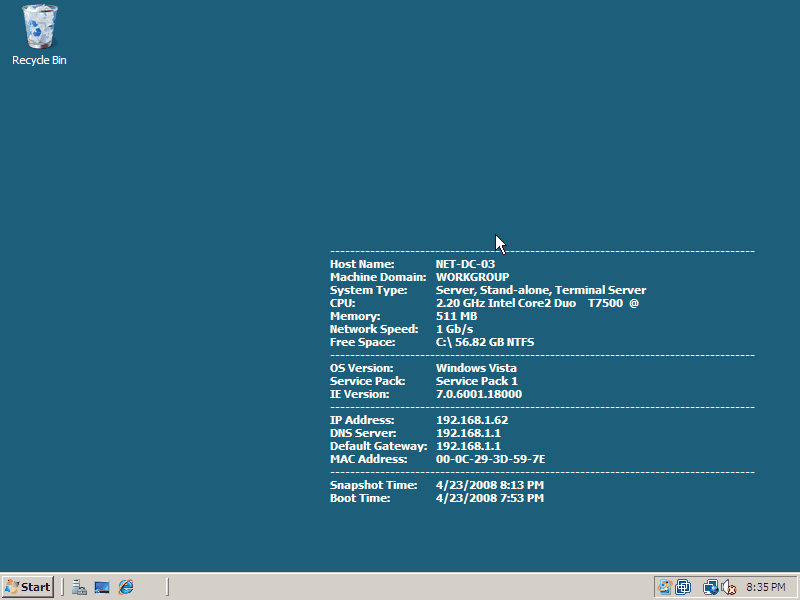
Picture 1. Networknet BgInfo wallpaper.
Configure the Networknet BgInfo template
These 10 steps cover downloading BgInfo and configuring the Networknet template.
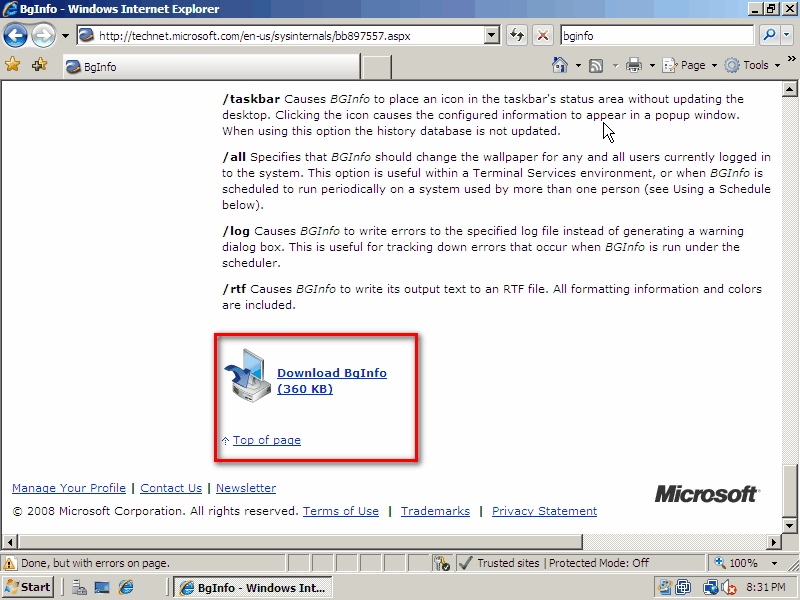
- Download the tool from the Microsoft website and open the ZIP file.
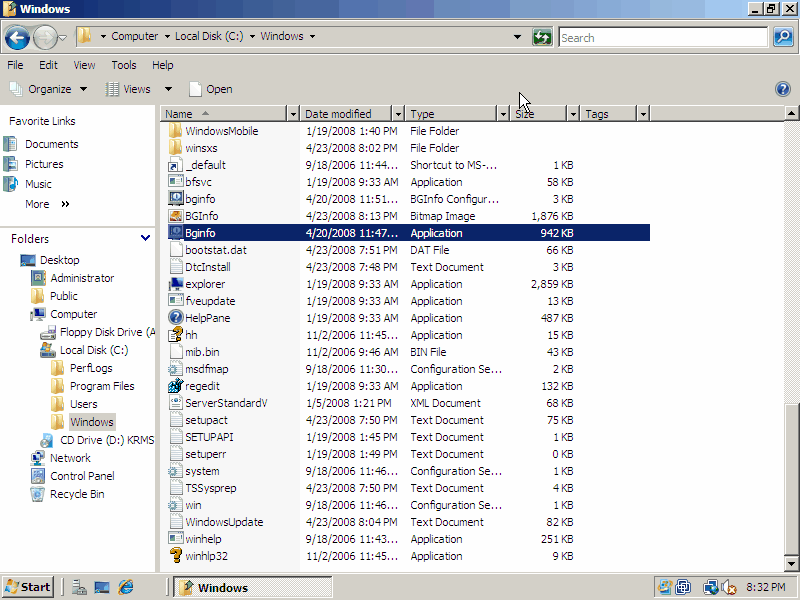
- Copy BgInfo.exe to
C:\Windows. - Run BgInfo.exe to register the .bgi extension.
- Download my BGI file from http://www.networknet.nl/apps/content/Networknet.bgi.
- Open Networknet.bgi and modify it if needed. Save the file to
C:\Windowsas bginfo.bgi. - Right-click BgInfo.exe and select "Create Shortcut".
- Right-click BgInfo.exe - Shortcut and change the target to
C:\Windows\Bginfo.exe c:\windows\bginfo.bgi /timer:0. Click OK. - Copy the shortcut.
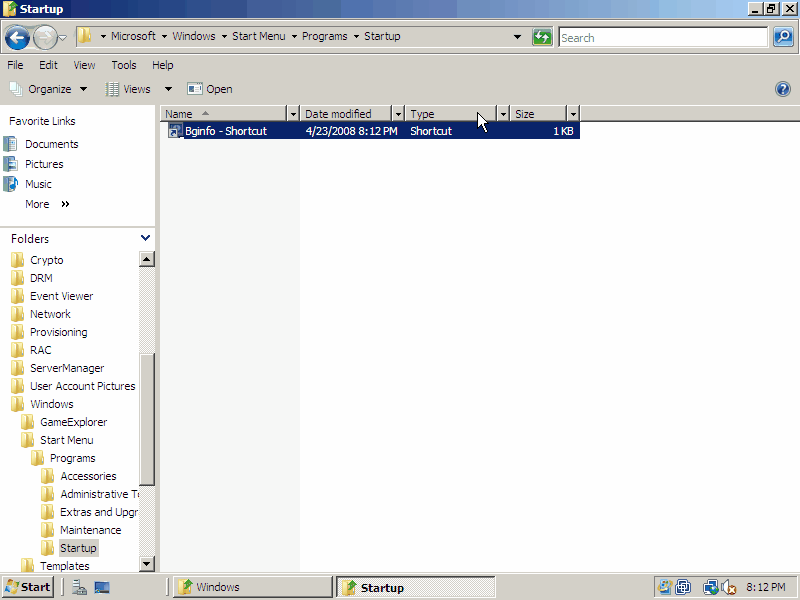
- Go to
C:\ProgramData\Microsoft\Windows\Start Menu\Programs\Startup. - Paste the shortcut.