Apply KB949219 to virtual machines after upgrading to Hyper-V RC0
After installing Hyper-V RC0 on the physical host server, I started upgrading Integration Services on my Windows Server 2008 virtual machine. I uninstalled the old Integration Services tools, rebooted the virtual machine and reinstalled the tools.
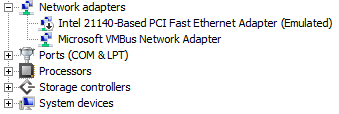
I rebooted the virtual machine and checked its network configuration, but no network adapters were shown. I shut it down and added a legacy adapter. This restored network connectivity, but I still could not work out why Integration Services did not work. I opened Server Manager and checked Device Manager. As shown below, there were three warnings: Microsoft VMBus Video Device, Microsoft VMBUS HDD Miniport and Microsoft VMBus Network Adapter.
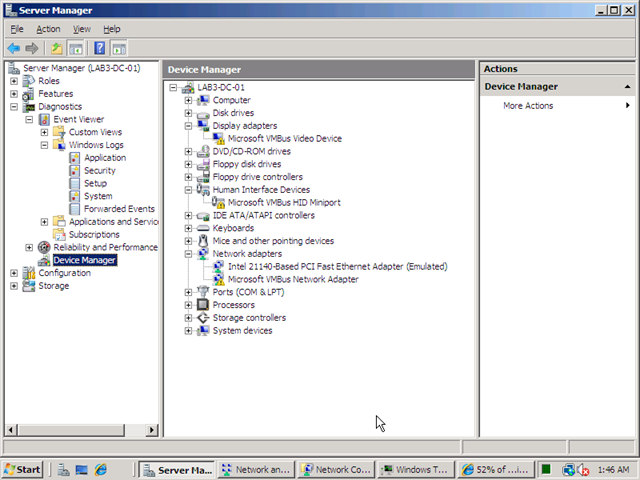
I went back to the KB949219 article and read that I also needed to apply the update to the virtual machines. I installed KB949219 and rebooted, which fixed the problems.
Update for Windows Server 2008 (KB949219)
This package includes the following items:
- The updated version of the Hyper-V Manager console and of the Virtual Machine Connection remote connection tool for x86-based versions of Windows Server 2008
-The updated version of the Integration Services for x86-based versions of Windows Server 2008
-To install the latest version of the Integration Services for x86-based versions of Windows Server 2008, you must install this package in the virtual machine and on computers that are running the x86-based version of Windows Server 2008.
Update for Windows Server 2008 x64 Edition (KB949219)
This package includes the following items:
- The updated version of the Hyper-V role
-The updated version of the Hyper-V Manager console and of the Virtual Machine Connection remote connection tool for x64-based versions of Windows Server 2008
-The updated version of the Integration Services for the following operating systems: • Windows Server 2008, x64-based versions only
- Windows Server 2003 Service Pack 2 (SP2), x86-based versions and x64-based versions
- Windows Vista Service Pack 1 (SP1), x86-based versions only
- Windows XP Service Pack 3 (SP3), x86-based versions only
1 comment
Comments from the original WordPress site, kept read-only.
Fantastic!!! You just helped me fix that problem! Thanks