Active Directory: a DCPromo answer file
This example shows how to provision an Active Directory domain from an answer file. The domain and domain controller role can be installed from a script, making the process repeatable. This script was generated for Windows Server 2003.
Create a DCPromo answer file
Copy the text below into a new text file named ad.txt.
| |
Change the administrator password and open a command prompt. Run dcpromo /answer:ad.txt. My answer file installs the DNS server automatically, so make sure the Windows Server source CD-ROM is available locally or in a CD drive.
After the reboot, I verified the domain installation.
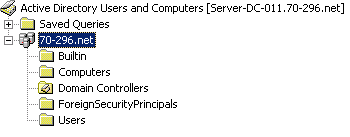
Active Directory was installed successfully. The answer file lets me reproduce the steps in my lab and prepare for production deployments.