WSUS 3.0: Back up or export the database
Download sqlncli.msi and SQLServer2005_SQLCMD.msi from Microsoft. These packages contain Microsoft SQL Server Native Client and Microsoft SQL Server 2005 Command Line Query Utility. Install both MSI files on the WSUS server.
Open a CMD command shell and run sqlcmd with the following options:
| |
You are now connected to the "Windows Internal Database," which is based on SQL Server Express 2005. WSUS 3 and other Windows components, such as Windows SharePoint Services 3.0, use this SQL engine.
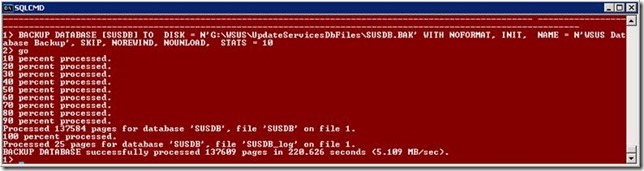
To back up the database, enter the SQL command below. Change the DISK option to a local folder on the server.
| |
1 comment
Comments from the original WordPress site, kept read-only.
yeah, that's exactly what I've searched for. I changed it to a script with -i , so you can automate it. Thanks.