Exchange 2003: IIS Config error 4275 on a cluster
My Exchange 2003 cluster had been down for weeks. It used an active/passive configuration, but only one server had been running for months. The second virtual machine node had been shut down to save resources.
When I could no longer access my Exchange 2003 mailbox, I reviewed Event Viewer and Services on the active node. The system logs contained around one hundred errors with event ID 4275 in the IIS Config catalog category.
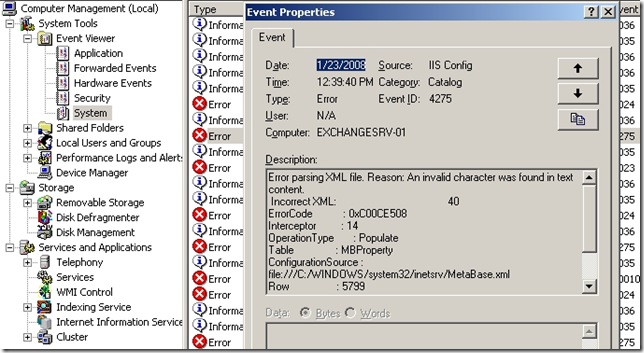
I filtered Event Viewer for Event ID 4275 to see when these errors started. The first event was on 12 December 2007.
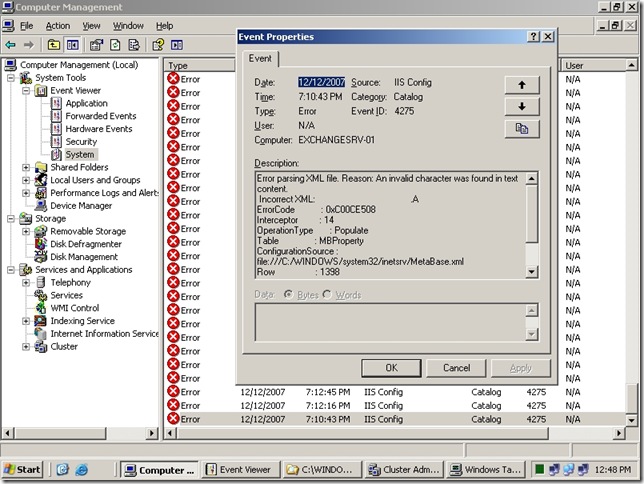
I tried starting the IIS Admin service manually and rebooting the server, but the IIS services still would not start. The server's IIS metabase had not been changed manually.
Restore the IIS metabase
I opened C:\WINDOWS\system32\inetsrv and renamed Metabase.xml to Metabase.xml1. IIS uses this XML file to store its configuration database.
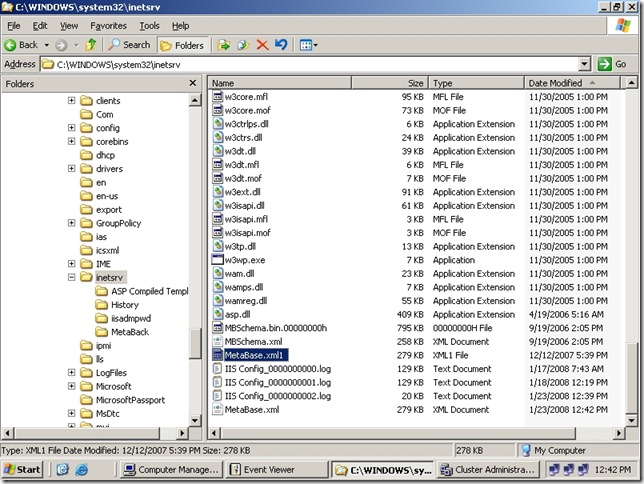
Previous XML metabase files are stored in C:\WINDOWS\system32\inetsrv\History.
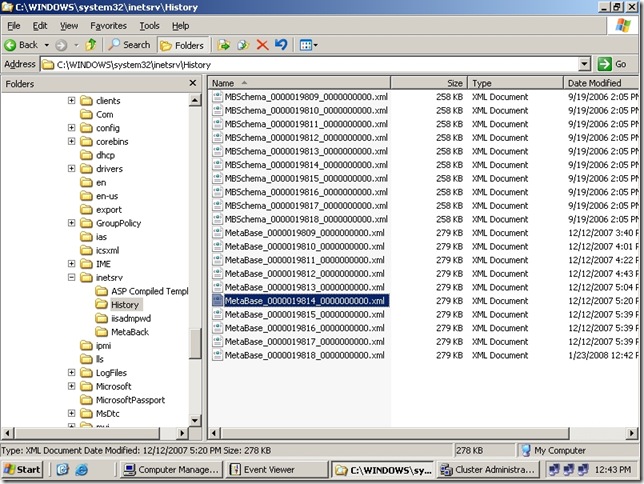
- I copied a metabase file from the History folder, dated just before the errors began, into C:\WINDOWS\system32\inetsrv.
- I renamed the file to MetaDatabase.old.
- I opened the Services MMC console and started the IIS Admin and WWW services. Both started successfully.
Once the IIS services were running, I opened Cluster Administrator and brought the Exchange group online.
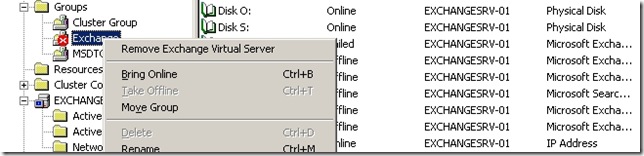
After weeks of downtime, my Exchange 2003 cluster was finally working as configured. The second node was brought online and included in the cluster.
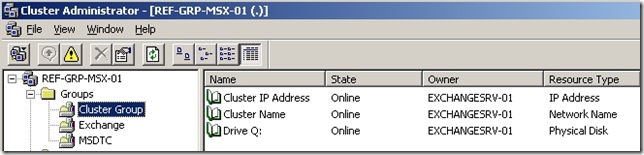
Why did this happen?
The only explanation I could find was that a power outage had corrupted the IIS Metadatabase.xml file. I hope this article helps with similar issues. My problem involved Exchange 2003, but the same problem could affect another application that depends on IIS.
Update: 5 October 2011
Today (5 October 2011), I updated this post, mainly for the new website format and to correct the grammar. I am happy to see readers finding a solution here on my personal blog. Writing and maintaining the site takes personal time and effort. If you would like me to continue, please consider visiting the sponsor in the upper-right corner. Thanks again for being here.
26 comments
Comments from the original WordPress site, kept read-only.
Ivan - thanks. This solved my problem on a SBS 2003 server that also (probably) suffered from a power outage.
Also solved my problem with a SBS2003 server. Exact same symptoms with the 4275 errors in the event log, but mine started with a bad sector on a hard drive. Thanks for the info!
I have to thank you for posting this. We had some corruption on a SBS2003 box and thought we were in for a long day. Most other posts i have found over the net were saying you need to uninstall and reinstall IIS to repair the metabase.
Thanks again!!
We had this same problem after an abrupt power failure. My co-worker and I have been trying to figure out this problem for almost a week. We thought we may have to re-install IIS and
Exchange. We didn't think it would be this easy to fix.
Thank you very much for the post.
Thx a Lot.
This really work for my. And help me save a lot of time.
Yesterday we have a problems with a log of Exchange 2007. Today with this one. Sound like something is wrong with server.
Thanks again!!!
Thanks sooo much!!! I had applied Windows SBS updates and after the reboot I got this error! Followed your instructions and got IIS up and running within 15 minutes!
Thank you very much to save my troubleshooting time.
Great Work.
Great!
This saved me a lot of time!
Thank you again!
Genial. Habe zuvor stundenlang versucht das Problem alleine zu beheben und mit dieser Anleitung war's in 10 Minuten erledigt.
Vielen Dank!!
Thanks, Works a treat. I install Backup Exec 12.5 which killed the metabase. Bloody Symantec
Tnks, you save me a lot of time and effort
Merci beaucoup,
J'ai appliqué cela et tout marche bien.
Thank you, this saved me from a non working Windows Homeserver Console connection (aswell as a nonworking IIS :) ).
I love you!
Thanks a million.
Really grateful I found your post.
You've just saved my Xmas! :)))
Thank you... This fix saved me a ton of work!
Thanks, I find the good information for IIS Config Errors and EventID 4275 Exchange 2003 Cluster.
Man, thank you!
Thank you
Thanks for posting and publishing this solution. It also helped me fix an 2003SBS exchange outage.
One quick note and a typo I suspect. The rename of the history database copied into the Windows\System32\inetsrv was to Metabase.xml even though the solution you showed 'MetaDatabase.xml'. I assumed it needed to be the same as the old production name that I renamed using your first step in that same directory.
After that and restarting the services all worked very well again.
Thanks again!,
Sandy
Hello Sandy,
You are welcome. Thanks for letting me know. It was a typo. I have corrected this now.
Cheers,
Ivan
I was working on a major upgrade to our company software everything went pretty smooth but at the end of the day email would not work. This tip saved me from working over the weekend. It appears that the file was corrupted during a spontaneous reboot of the server, thanks.
Thank you very much. I had a SBS 2003 server that hung on shutdown and had to be manually shutdown. Following your instructions allow me to correct the MetaBase.XML and restart the STMP/IIS and Exchange services properly.
thank you, save me hours of work.
Thank you so mcu! Problem solved right away!
Thank you! Didn't have to rename it .old. Just took the history of file and renamed it to MetaBase