[root@CACTI-04 /]# vi /etc/snmp/snmpd.conf
###########################################################################
#
# snmpd.conf
#
# - created by the snmpconf configuration program
#
###########################################################################
# SECTION: System Information Setup
#
# This section defines some of the information reported in
# the "system" mib group in the mibII tree.
# syslocation: The [typically physical] location of the system.
# Note that setting this value here means that when trying to
# perform an snmp SET operation to the sysLocation.0 variable will make
# the agent return the "notWritable" error code. IE, including
# this token in the snmpd.conf file will disable write access to
# the variable.
# arguments: location_string
syslocation NETWORKNET
# syscontact: The contact information for the administrator
# Note that setting this value here means that when trying to
# perform an snmp SET operation to the sysContact.0 variable will make
# the agent return the "notWritable" error code. IE, including
# this token in the snmpd.conf file will disable write access to
# the variable.
# arguments: contact_string
syscontact Ivan Versluis
###########################################################################
# SECTION: Access Control Setup
#
# This section defines who is allowed to talk to your running
# snmp agent.
# rocommunity: a SNMPv1/SNMPv2c read-only access community name
# arguments: community [default|hostname|network/bits] [oid]
rocommunity net_ro_public
###########################################################################
# SECTION: Agent Operating Mode
#
# This section defines how the agent will operate when it
# is running.
# agentaddress: The IP address and port number that the agent will listen on.
# By default the agent listens to any and all traffic from any
# interface on the default SNMP port (161). This allows you to
# specify which address, interface, transport type and port(s) that you
# want the agent to listen on. Multiple definitions of this token
# are concatenated together (using ':'s).
# arguments: [transport:]port[@interface/address],...
agentaddress 127.0.0.1:161
ESC and :wq! to save and exit the file.
Reload and check the configuration
Reload snmpd.conf and verify the SNMP configuration with snmpread.
Code3 lines
1
2
3
[root@CACTI-04 /]# service snmpd reload
Reloading snmpd: [ OK ]
[root@CACTI-04 /]#
Add the device in Cacti
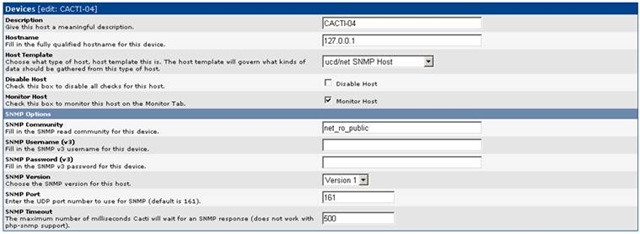
Open Devices in Cacti and choose to add a new host.
After adding the CentOS device, reopen it. The SNMP information should appear as in my example below.
CACTI-04 (127.0.0.1)
Code6 lines
1
2
3
4
5
6
SNMP Information
System: Linux CACTI-04.almatis.internal 2.6.9-34.EL #1 Wed Mar 8 00:07:35 CST 2006 i686
Uptime: 12822505
Hostname: CACTI-04.networknet.nl
Location: NETWORKNET
Contact: Ivan Versluis
Create the graphs
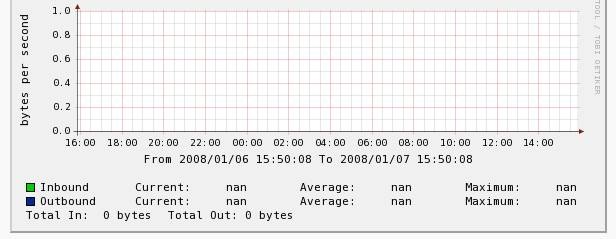
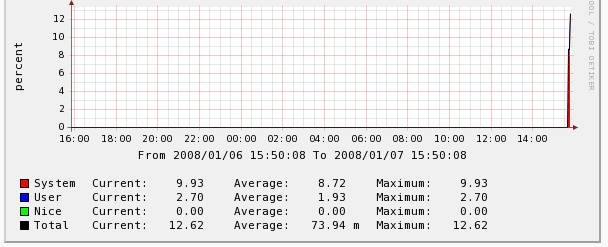
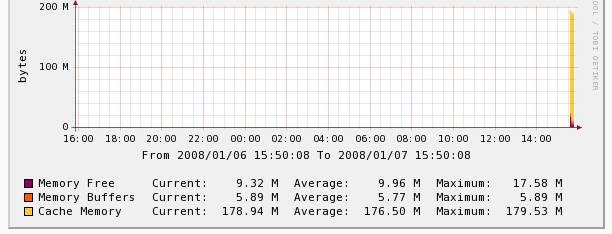
The last step is to create new graphs. Depending on the chosen host template, these can show CPU, memory and NIC data.
Hello, I am trying to figure out why cacti is not graphing some data and I see errors in getting the SNMP data in my cacti logs so I came to your site. I just thought I would let you know it is very hard to read your "code" because there are HTML tags inside your "code" view on your blog. I would use a better plugin.
Hello, I am trying to figure out why cacti is not graphing some data and I see errors in getting the SNMP data in my cacti logs so I came to your site. I just thought I would let you know it is very hard to read your "code" because there are HTML tags inside your "code" view on your blog. I would use a better plugin.