App-V: Office 365 ProPlus and SAP EPM COM add-in loading issue
Over the past few months, I have been helping build a Windows 10 1709 image, update core applications and upgrade App-V packages. Client migrations from Windows 7 to Windows 10 are now underway, and several issues have appeared. The new Office 365 ProPlus installation needs to integrate with App-V. From Windows 10 version 1703, if I remember correctly, the App-V client is part of the operating system and needs to be enabled through PowerShell/SCCM.
Getting Excel add-in support working with Office 365 ProPlus has been the biggest challenge so far. SAP Business Objects EPM client 10 is one example. Its Excel add-in had been sequenced with the App-V 5.1 Sequencer, but it did not work.
The EPM ribbon was missing
Excel opened from the published App-V shortcut, but the EPM add-in ribbon was missing.
Enabling AllowJitvInAppvVirtualizedProcess in the registry resolved the issue. With the setting enabled, the App-V add-in loaded successfully.
| |
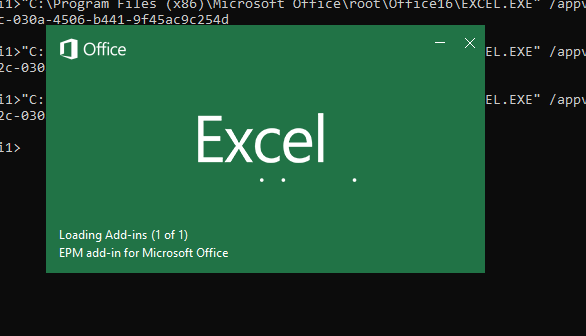
Starting Excel from the command line
| |
Use Get-AppvClientPackage in PowerShell to retrieve the PackageID and VersionID.
This registry setting resolved a major dependency in our Windows 10 project. It may also help with other Office integration packages, although that remains to be seen.
1 comment
Comments from the original WordPress site, kept read-only.
Enabled PowerPivot (LoadBehavior reg_dword 3 via HKLM -> HKCU) for App-V5