Office 2016: Outlook cannot provide form scripting support
After upgrading to Office 2016, the Enterprise Vault add-in stopped working and Outlook displayed the following error:
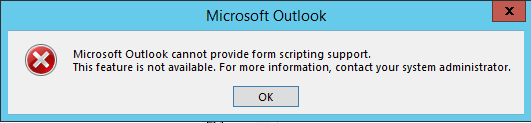
I had seen a similar issue with Office 2010. In this case, Office was installed on a Windows Server 2012 R2 RDS server.
Restore form scripting support
- Find the Office MSI entry in Registry Editor under
HKEY_LOCAL_MACHINE\SOFTWARE\Wow6432Node\Microsoft\Windows\CurrentVersion\Uninstall. - Open an elevated command prompt.
- Run the following command:
| |
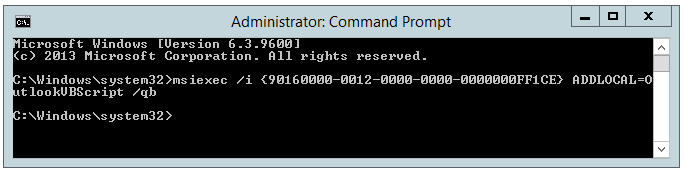
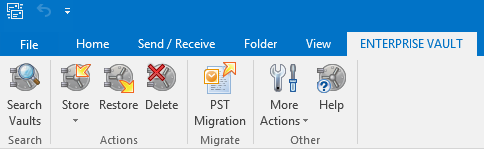
When I opened Outlook again, the Enterprise Vault client was enabled and working as it did on typical clients.
4 comments
Comments from the original WordPress site, kept read-only.
Thanks, worked perfectly!
Thanks a lot! It worked.
Danke, funktioniert!
THX, it works!
Thanks, its working in MS office 2016..:)