Microsoft Hyper-V Server 2012 R2: Setup asks for a product key
I spent the past 24 hours trying to install Microsoft Hyper-V Server 2012 R2. I tried to boot from a virtual CD containing the ISO downloaded from Microsoft, but setup kept asking for a product key.
After searching online and checking the physical server, I found a Windows Server 2012 R2 MSDN DVD in its optical drive. That additional installation media was causing the product-key prompt. I disabled the SATA optical drive in the BIOS and booted again. The installation then started as expected.
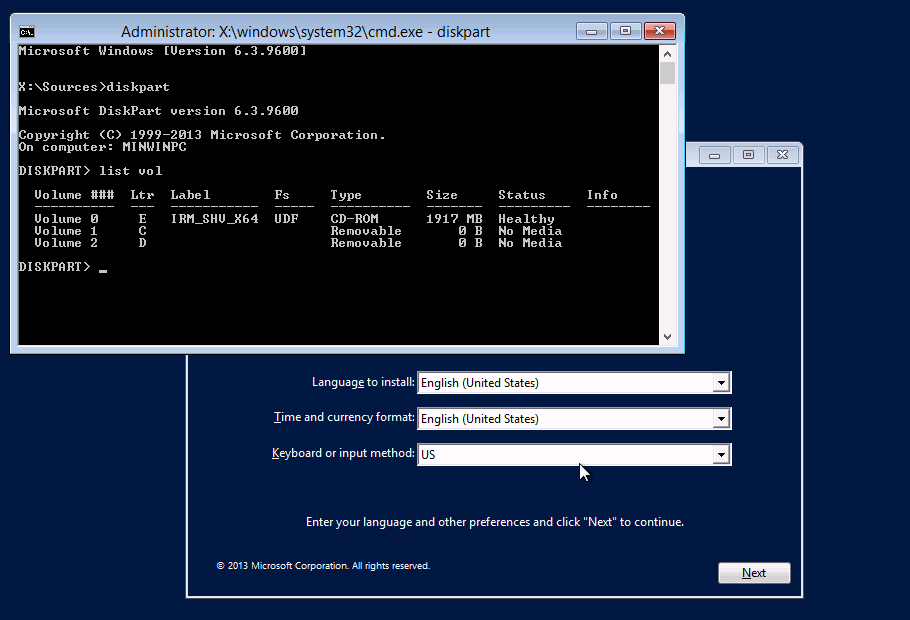
Check the installation volumes
- Press Shift+F10 during setup to open a command prompt.
- Run
Diskpart.exe. - Run
List Voland review the attached volumes.
By this point, my problem was already resolved because the other installation media was no longer connected.