Exchange 2013: ActiveSync permissions for a Domain Admins account
Exchange 2013 is available for download. Last week, I downloaded the installation files and gave it a try. My first attempt ran into problems with the previous Exchange 2010 setup, so I decided to start with a new Active Directory domain. A fresh Windows domain and Exchange 2013 installation worked.
I had some reading to do because the Exchange Management Console was gone. Management was available through PowerShell or the ECP web interface, the Exchange Administration Center.
Everything went well except synchronization with my Windows Phone, iPhone and iPad. I was working with two accounts: a resource mailbox and my primary Exchange account. The resource mailbox synchronized, but my primary account did not.
MSExchange ActiveSync error 1053
I found the following error in Event Viewer. I remembered seeing the same message with Exchange 2010, when I had resolved it by changing security settings on my Windows account.
The problem started when my account was added to the Domain Admins group.
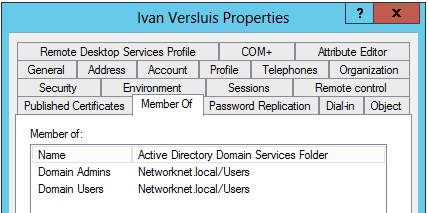
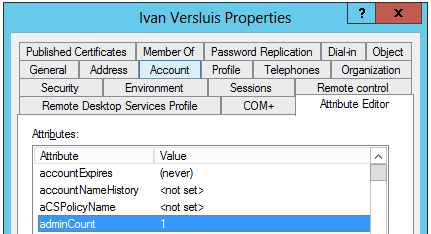
When a domain account is added to a protected security group such as Domain Admins or Enterprise Admins, it gets a protected DACL with inheritable permissions turned off, and its adminCount attribute is set to 1. This left Exchange Server with insufficient permissions. Comparing my primary account with the resource mailbox showed the difference:
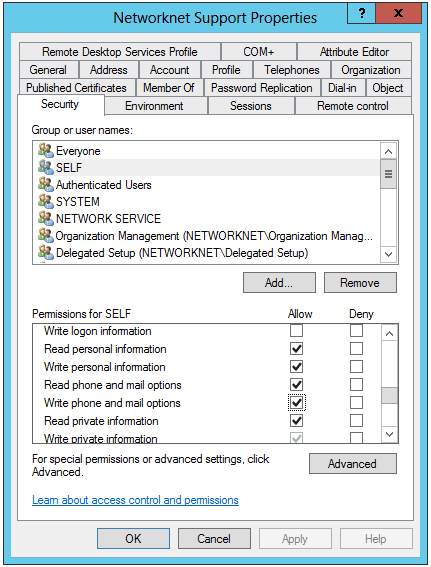
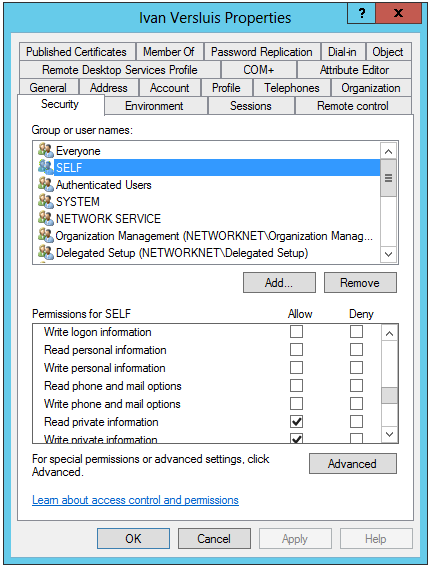
Several checkboxes for the SELF security object were not selected on the account that belonged to Domain Admins.
Restore the account permissions
Make sure accounts used for ActiveSync are not members of the protected security groups used for Active Directory management. This membership caused the problem in my case. If an account was a member of one of these groups, restore its defaults:
- Open the Windows account’s Security settings, then Advanced Security Settings, and click Restore Default.
- Open Attribute Editor and change
adminCountfrom1to0.
I had encountered this issue with Exchange 2010 several years earlier, and it came back with Exchange 2013. Following the practice of keeping my primary Windows account out of Domain Admins would have prevented it. I hope these screenshots and details help others identify the same problem.
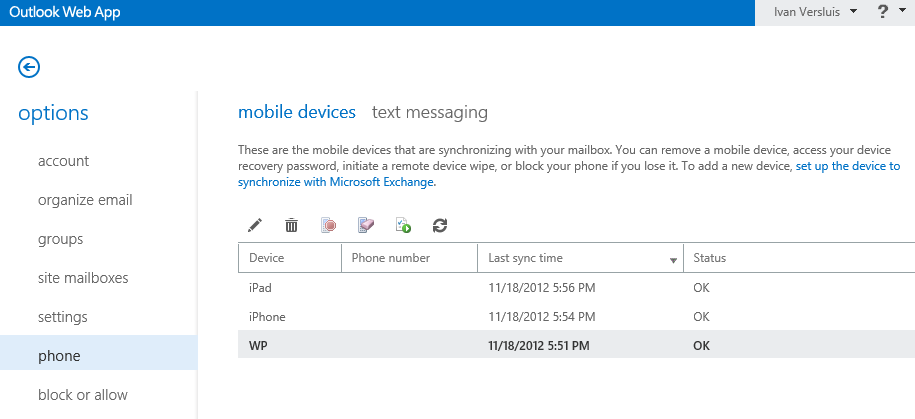
All my mobile devices are now up and running.
The AdminSDHolder is an important security feature in Active Directory. The AdminSDHolder, protected groups and Security Descriptor propagator help secure user accounts that contain elevated Active Directory permissions. The AdminSDHolder functionality has evolved from Windows 2000 Server to Windows Server 2008. During this evolution, Microsoft has expanded the number of objects that are secured by AdminSDHolder, introduced the ability to exclude certain groups from the AdminSDHolder and added the ability to control how often AdminSDHolder runs. http://technet.microsoft.com/en-us/magazine/2009.09.sdadminholder.aspx#iframe
References
- AdminSDHolder, Protected Groups, SDProp and moving mailboxes in Exchange
- ActiveSync Code 0x85010014
- Exchange ActiveSync doesn't have sufficient permissions
1 comment
Comments from the original WordPress site, kept read-only.
Yeah bookmaking this wasn't a risky conclusion outstanding post! degggecccacd