Mac: Upgrade memory to improve iMac and Mac mini performance
Two years ago, I switched from a PC to a Mac. I use three Macs: an iMac as my workstation, a portable MacBook and a Mac mini for multimedia. Last week, I decided to upgrade the memory in the iMac and Mac mini because both systems were slow. I had never performed a fresh Mac OS X installation on either system.
My main reasons for upgrading the memory were:
- Photoshop ran well on its own, but opening Aperture or Firefox alongside it made the iMac stop responding.
- Aperture was slow when rendering the 18-megapixel RAW files I work with.
- The Mac mini performed well until I started working in Aperture 3.
My 24-inch iMac (Early 2009) had 4 GB of RAM, and my Mac mini (Late 2009) had 2 GB. I had checked the price of an official Apple memory upgrade the previous year, but I did not want to spend more than $150. I postponed the upgrade until last week.
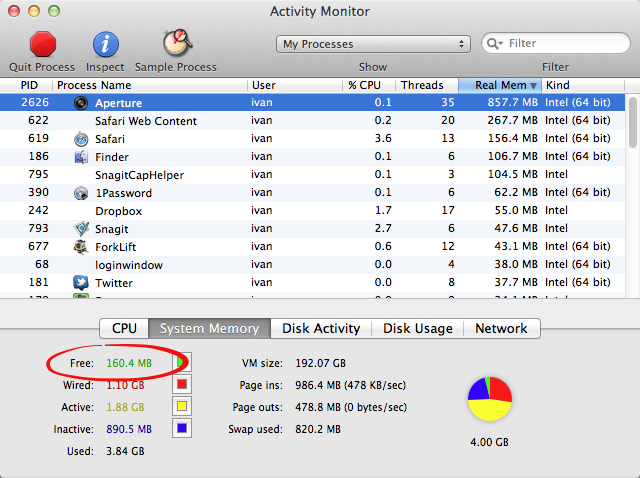
I captured Activity Monitor to illustrate the problem. Aperture 3 and Safari were running, with 160 MB of free memory and 820 MB of swap in use. I also needed to run Firefox and Photoshop together for web development, which made the system difficult to work with. Activity Monitor showed some inactive memory, but the delays were already frustrating.
In Mac OS X Lion, the System Information utility ( / About this Mac / More Information / Memory) has been updated with clearer guidance for memory upgrades.
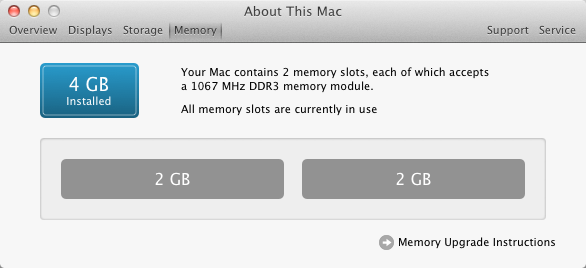
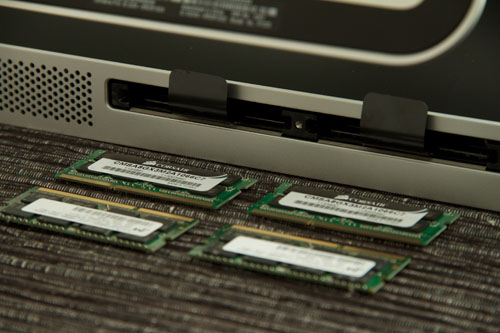
Click Memory Upgrade Instructions and find your Mac. For my 24-inch iMac (Early 2009), I needed SO-DIMM PC8500 1066 MHz unbuffered 204-pin memory, with an 8 GB limit. I checked my local hardware store, Alternate, and bought a Corsair 8 GB DDR3-1066 kit for $50.
The installation was straightforward and took 15 minutes. My iMac booted without any issues and was now running with 8 GB of memory.
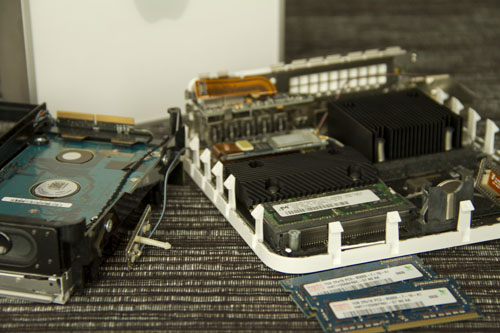
Next, I upgraded the Mac mini. I had checked its memory requirements and could reuse the 4 GB of memory from the iMac. This installation was not straightforward. I recommend checking the instructions on YouTube; this video helped me a lot.
If your Mac is slow, check the available memory and consider a fresh Mac OS X installation. I spent $50 on the memory upgrade, and both Macs now perform better than before. I had waited too long.
The related links below describe other reasons a Mac may be running slowly.