Windows Server: Allow support users to connect remotely to a domain controller
Active Directory Domain Services (AD DS) is an important Windows infrastructure role. In some environments, helpdesk or support staff need Remote Desktop access to domain controllers. I needed a plan for staff who were not Domain Admins to connect to our branch-office domain controllers.
Configure the security group and policy
In my configuration, I created a security group and changed the "Default Domain Controller" Group Policy to allow these users to connect remotely.
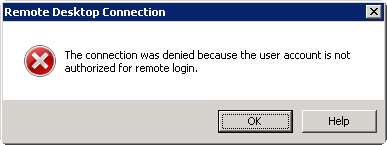
Without these changes, a user may receive the following connection-denied message:
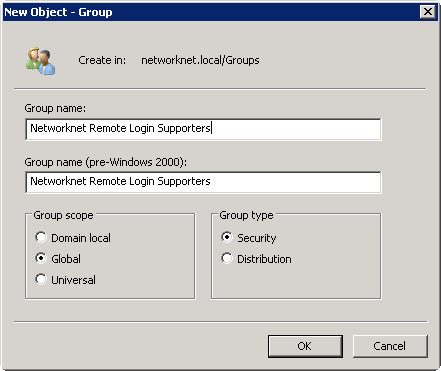
Start by creating a Windows security group.
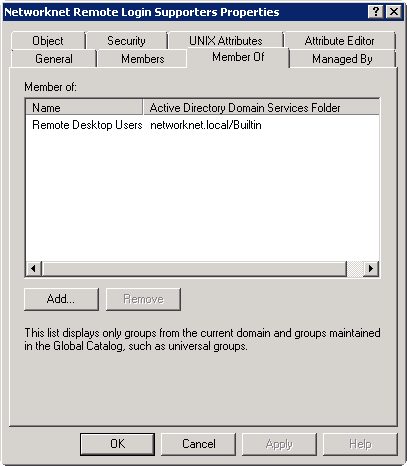
Add the required user accounts to the new security group, then add that group to the built-in Remote Desktop Users group. This membership is needed for the users to connect through Remote Desktop Protocol.
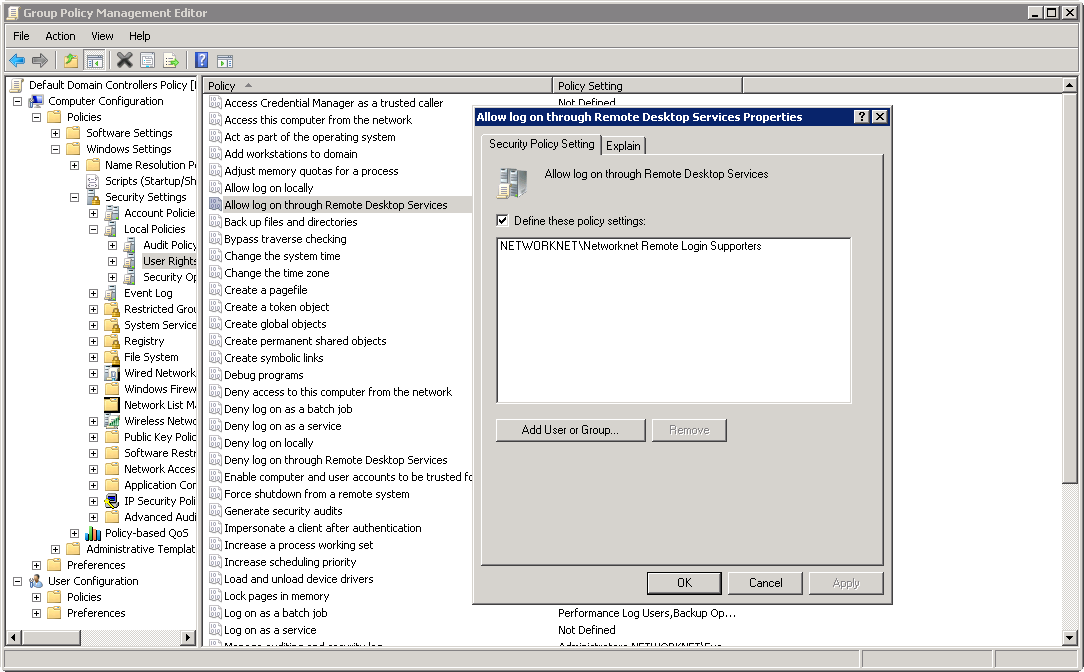
Open Group Policy Management Editor and edit the "Default Domain Controller" policy. Find the "Allow log on through Remote Desktop Services" user right under Computer Configuration\Windows Settings\Security Settings\Local Policies\User Rights Assignment\. Add the new security group and close the management console.
If you try signing in with a support account before the policy has been applied, the domain controller may display this message:

Wait for the Default Domain Controller policy to be processed, or run gpupdate /force. I ran gpupdate and then signed in with a support account. The Remote Desktop connection worked, and the account was not a Domain Admin.
Related links
7 comments
Comments from the original WordPress site, kept read-only.
Thanks man you helped me
I'm trying the other way around, remote log in from Win Server 2008 R2 to Win 7, as a domain administrator, and I get the "...Allow log on through Terminal Services..." window. Domain admin is a member of the local Administrators group, and I also added it to the Remote Desktop Users group.
Hi,
Your answer is correct, but when allowing domain users for RDP they are also getting admin rights so that they can create modify and delete any data on the server which should not happen.
Please do revert...
Hi Jeevan, I don't understand your reply. Please elaborate?
This is a controlled environment, not an enterprise setup, only I use this setup. I just want to know how to alleviate the restriction.
When someone writes an paragraph he/she retains the thought
of a user in his/her brain that how a user can be aware of it.
So that's why this article is outstdanding. Thanks!
Note - You need to add domain\Adminstrator to the list or the adminstrator won't get RDP access
The premise of your personal investment strategy is a breeze to
see. Thank you for conveying this with me at this moment.