Windows Server 2008 Core: Rename the server with netdom.exe
Check the current computer name
Run hostname.exe to see the computer name generated by Windows Setup. Select the computer name and press Enter.
| |
Rename the server
Rename the server to prepare it for dcpromo.
| |
1 imageSelect an image to enlarge it.
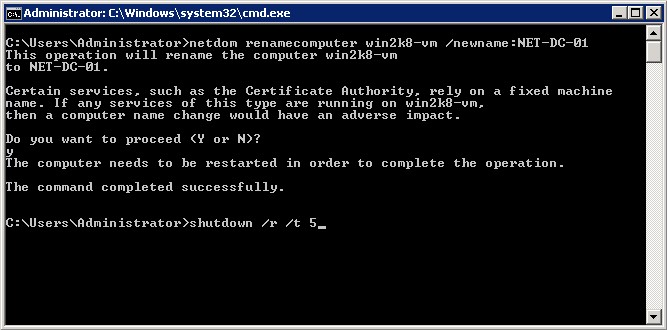
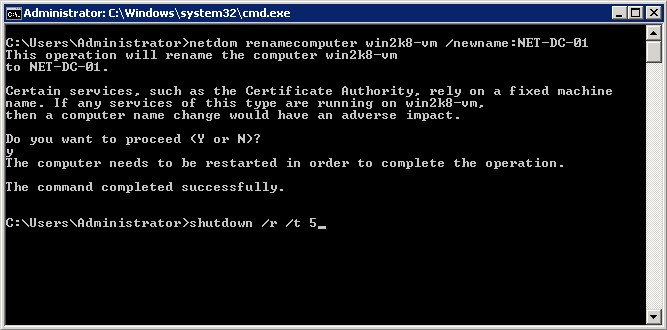
Windows Server 2008 Core rename screenshot.
2 comments
Comments from the original WordPress site, kept read-only.
Another option is to use the %computername% variable. Then you don't have to look up the hostname and the only part that changes is the new name you want to name your server:
netdom renamecomputer $computername$ /newname:NET-DC-01
sorry, the "$" is a habit. The correct command is:
netdom renamecomputer %computername% /newname:NET-DC-01