
 Hi there! Welcome to my blog. My name is Ivan. I am a Dutch IT Professional working as Principal IT Consultant.
 ImgBurn is a free tool that enables you to burn CD/DVD images with ease. All the latest drives are supported (including booktype / bitsetting on many of the major ones). Advanced functionality can be found in the ImgBurn context menus.
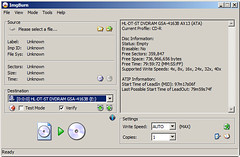

If you use Wine, it should also run on Linux and other x86-based Unixes. If you never heard of this tool than now you should download and install it ;). I am using this tool to burn cd-roms from my Windows Server 2008 Hyver-V and it works smoothly.
Beside all burning features one other which comes handy is to grab a folder and create a ISO file; then mount the ISO file with Hyper-V or ESX virtual machines. I used this feature many times when working in the test and production environments.

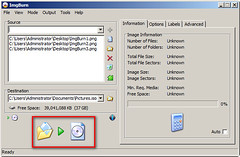
Click here to download the ImgBurn tool.


[email protected]
ok
Michael
Cool, thanks, now I am also doing it too!. It is saving me time from shutting down my main machine and go back to Win7 just to burn iso files…thanks for testing it and let people know