
 Hi there! Welcome to my blog. My name is Ivan. I am a Dutch IT Professional working as Principal IT Consultant.
 I am sure most of us hit this problem before when working with a workgroup client. I keep forgetting to change simple file sharing setting over and over. Most of my enterprise clients are sitting in a domain, but some will be workgroup clients. Prodcution or Process Control networks are commonly connected in a Workgroup setup. Today I am testing a remote installation of Symantec Antivirus 10.2 server and I hit this Administrator log on problem.
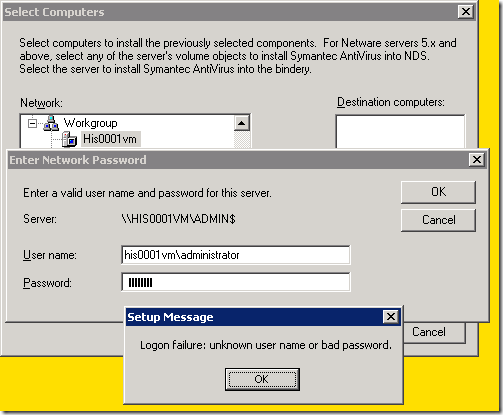
First I thought the password is wrong, tried again then I add the computer\administrator but still no successful log on on this remote machine.
I went back to my Windows XP virtual machine and checked the setting in Windows Explorer / Tools menu / Folder Options / View tab / and I then unchecked “Use simple file sharing (recommended)”.
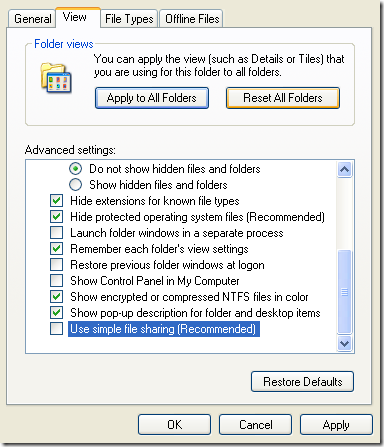
I tried to connect again to the ADMIN$ share and this time it worked fine.


Leave a comment