
 Hi there! Welcome to my blog. My name is Ivan. I am a Dutch IT Professional working as Principal IT Consultant.
 Did you ever tried to automate the process of having a script or shortcut to automatically start a virtual guest with VMWare Player? After you login you can start VMWare Player and locate the virtual machine or click the recent one but still you need to control this process. Maybe you want to start the virtual machine at system startup with Scheduled Tasks or instruct a user to click on a specific shortcut for a pre-created virtual machine he needs to test.
I created a small script which can used for this process. Create new file in notepad and paste the commands below. Make sure the VMWare Player installation path is correct and the location of your VMWare guest.
@Echo off
REM VMWare Player cmd script for virtual guest startup
REM Ivan Versluis @ Networknet.nl
REM Email: [email protected]
REM Date: 29/01/2008
"C:\Program Files\VMware\VMware Player\vmplayer.exe" "C:\VMWareGuests\Server\Windows Server 2003 Standard Edition.vmx"
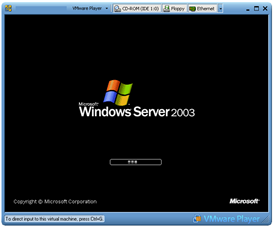
The result 😉


JM
Thank you for putting this up here. I’ve been looking for it for about an hour, putting a virtual machine on my new image for work and I wanted to make it easier for the employees to get into Windows XP when they need it.
Abdulrahman Dimashki
Thanks for the tip, any success in shutting down the virtual machines when Windows 2008 R2 shuts down?
I think this should be doable using power shell, but I don’t have enough information about that yet.
fraser
where is the start ?????????????????????????
where is the finish?????????????????????????????
do you get an email everytime we switch the computer on ??????????????///
Ari
You made my day 🙂
Binsar
The script is ok if you manually click it. But how if you want to fully automatically run the vm? I try put the script on the wind task scheduler, but somehow it not run properly. I mean, that when I ping the vm, it replying, but i cannot open / remote to the machine.
Any other suggestion ?
Topher
Great post… very simple and works well.
Bisnar – put the script in your startup folder for all users. If you setup automatic login (obv. some security issues here, so only do this in non-prod evironments) but you can use the command “netplwiz” to bypass the welcome screen in windows 7 (click “windows key” + R –> type “netplwiz” in the run command box that appears).
Topher
Note – add “exit” to a new last line to automatically close the bat file so that black box doesn’t stay on the screen.
Norberto Hernández
Thanks a lot, and for stop the machine in command line?
Chris
works great, only one problem, the command never exits. There are 2 more that need to run at the end of my batch file and the cmd just stops and waits for me to actually close the vm before proceeding. Thoughts?
call "C:\Program Files (x86)\VMware\VMware Player\vmplayer.exe" "%USERPROFILE%\Documents\Virtual Machines\<vm>.vmx"
then crickets
Chris
it should also be noted that if the command is run straight from cmd it works perfectly
Chris
nm, i figured it out:
use start not call
start "C:\Program Files (x86)\VMware\VMware Player\vmplayer.exe" "%USERPROFILE%\Documents\Virtual Machines\<vm>.vmx"
Chris
One more problem: this vm is being used for development, so after it is started up I need to map it:
start "C:\Program Files (x86)\VMware\VMware Player\vmplayer.exe" "%USERPROFILE%\Documents\Virtual Machines\<vm>.vmx"
call net use E: <name> "<password>" /user:<user>
but if the vm has not finished its startup by the time net use is called, I am pretty sure bad things will happen. Is it possible to basically do a "vm has started" callback? If not I can just put in
sleep 30
I bet that will cover it